
Fast answer: which process should you choose?
When choosing between CNC machining and 3D printing, the decision depends on the specific requirements of your part, including prototyping cost comparison, precision, material properties, geometry, and production volume. 3D printing is typically more cost-effective for early-stage prototypes due to lower setup costs. Each process offers unique advantages, with CNC machining excelling in tight tolerances, strength, and surface finish, while 3D printing shines in rapid prototyping, especially when the design is evolving, and in creating complex geometries with low setup costs. The choice often depends on the required part characteristics and stage in the manufacturing process.
Choose CNC machining when tolerances, strength, and finish are critical
When selecting CNC for prototypes, choose it if your part has tight fits, sealing surfaces, bearing seats, or datum features that drive assembly accuracy. CNC machining is especially useful when high strength, precision, and functional material properties are necessary, making it the preferred choice over 3D printing for prototypes that must meet strict performance standards. CNC machining is preferred when you need to meet strict tolerance requirements, high functional strength, and material consistency. CNC is often preferred for prototypes requiring precision and final material properties. CNC machining is generally chosen when strength and precision are critical, as it offers stronger, more reliable material properties compared to most 3D printing technologies, where part strength can vary significantly depending on the printing process and material. This highlights the strength of CNC over 3D printed parts, particularly when durability and functionality are at stake. Those are not small differences. They change whether you can assemble without hand-fitting, hit a press-fit range, or pass inspection without exception.
A practical way to decide is to start with functional features, not the part as a whole. If only one surface needs high accuracy, you can sometimes print the body and machine the critical face. But if many features are tolerance-linked (stack-ups), machining tends to reduce risk.
Table: tolerance/finish expectations by use case (rule-of-thumb)
| Use case | What usually matters | CNC machining fit | 3D printing fit |
|---|---|---|---|
| Tight-fit assemblies, alignment features, multi-part stack-ups | Predictable tight tolerances; repeatable datums | Strong fit (micron-level precision often cited) | Riskier (typical ±0.2–0.3 mm cited); may need rework |
| Cosmetic/visible surfaces | Low tool marks; consistent appearance | Strong fit (“mirror-like” finishes often cited) | Often needs finishing to remove layer texture or marks |
| Functional load-bearing parts (final material properties matter) | Bulk material properties and consistency | Strong fit because stock materials are well-known and consistent | Depends on printing process/material; may not match final properties |
| Early proof-of-concept models | Fast physical feedback | Often slower and higher setup than printing | Strong fit; low setup and fast iterations |
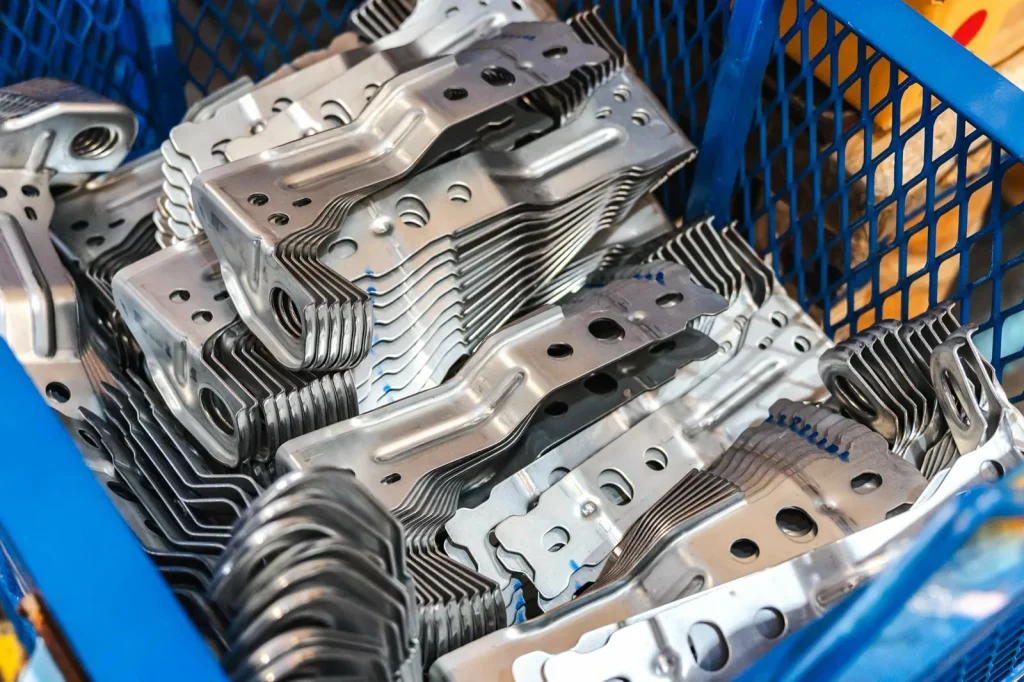
Choose 3D printing for fastest early prototypes, complex geometry, and customization with low setup
3D printing is usually the quickest way to get a first physical part when you are still learning what the design needs to be, thanks to the efficient 3D printing process that allows rapid iterations with minimal setup, especially for complex geometries and highly customized parts. The key point is low setup: you can change a CAD model and run another part without rethinking fixturing, tool access, or programming in the same way.
3D printing excels at creating parts with complex geometries, such as internal channels and organic shapes, that would be difficult or expensive to produce using CNC machining. That does not mean printed parts are “done” out of the machine. Many sources also point out post-processing needs (support removal, smoothing, and cleanup), especially when surface finish matters.
Diagram: “prototype → validate → refine” workflow
| Stage | Process | Description |
|---|---|---|
| Prototype fast | 3D print 1 | Low setup, first physical part |
| Validate fit/geometry | 3D print 2 | Changes cheap, rapid iterations |
| Refine CAD | 3D print 3 | Converge fast, optimize design |
| When requirements stabilize | CNC for functional test | Precision + final material behavior |
Choose based on volume: 3D printing for low-volume parts; CNC often wins as volumes grow
When considering how to produce parts, volume is crucial. For very low quantities, 3D printing often wins because there is little setup cost to amortize, while CNC machining becomes more favorable as volumes rise and setup costs get spread across more units. For very low quantities, 3D printing often wins because there is little setup to amortize, while CNC machining tends to become more economical as quantities increase. The exact break-even depends on geometry, tolerance targets, finish requirements, and how much post-processing your printed parts need.
What changes with volume is not only cost. It is also schedule and risk. A 20-part batch of printed parts may be quick. A 200-part batch can be slow if each part needs support removal and manual finishing. CNC machining tends to improve with repeat runs because the setup cost gets spread across more units, and per-part time can be low for simple shapes.
Chart: cost vs volume break-even curve (conceptual)
| Quantity Range | 3D Printing Cost per Part | CNC Machining Cost per Part |
|---|---|---|
| 1–50 | High | High |
| ~Break-even | Medium | Medium |
| 100–500+ | Low | Low |
Is CNC machining better than 3D printing?
“Better” depends on what you are optimizing for. If you need tight tolerances, high-quality surface finish, and predictable material behavior for functional parts, CNC machining is often described as the stronger option. If you need fast early prototypes, complex geometry, and low setup for iteration and customization, 3D printing is often the better fit.

Core process differences (additive vs subtractive manufacturing)
In manufacturing, the choice between additive (3D printing) and subtractive (CNC machining) manufacturing processes hinges on fundamental differences in how parts are made. Subtractive manufacturing (CNC machining) typically offers higher precision and material efficiency, whereas additive manufacturing (3D printing) excels in producing complex geometries with minimal material waste. Subtractive manufacturing often offers greater precision and material efficiency, while additive manufacturing excels at producing complex geometries with minimal material waste. Subtractive manufacturing often offers greater precision, while additive manufacturing can produce complex geometries with minimal material waste. These two approaches each come with their own set of strengths, limitations, and design implications. Understanding how each process works and how it affects design rules—such as material usage, waste, setup, and post-processing requirements—can help you determine the most suitable method for your project. This section explores these core process differences and the factors that influence the decision between 3D printing and CNC machining.
How each process makes a part—and what that means for design rules
At a basic level, 3D printing is additive manufacturing: the part is built by adding material in layers, using various types of 3D printing such as resin, filament, powder-bed polymer, or metal additive manufacturing (AM).. CNC machining is a subtractive manufacturing process, where the part starts as raw stock (such as a bar, plate, or billet) and material is removed using cutting tools to achieve the final shape.
Those physics drive different design rules:
- Printing is limited by what can be built without collapsing, warping, or trapping supports.
- Machining is limited by what a cutting tool can reach, how the part can be held (fixtured), and how features relate to tool diameter and tool length.
The main misunderstanding is to treat them as interchangeable “ways to make the same shape.” They overlap, but the failure modes are different. A model that prints cleanly can be expensive to machine if it has deep pockets, narrow internal slots, or features that require many setups. A model that machines cleanly can be slow to print if it needs lots of support or has thin walls that distort.
Diagram: additive layers vs subtractive toolpaths
- Additive (3D printing)
- Build part by layers
- Support strategy matters
- Subtractive (CNC machining)
- Start with stock
- Remove material with tools
- Tool access and fixturing matter
Material efficiency & waste: additive vs subtractive waste factors (CNC)
3D printing builds parts layer by layer, which can result in less material waste at low volumes, though waste may occur from support structures, failed prints, and excess material handling, while CNC machining waste typically stems from stock size, fixturing, and allowances for cutting. Waste in both processes is influenced by design and material handling factors, with 3D printing often having lower waste at small volumes, while CNC machining typically involves higher waste due to material removal.
This matters for cost and sustainability, but also for part feasibility in expensive materials. If a part is large and the buy-to-fly ratio (how much stock you start with compared to final mass) is high, CNC scrap can dominate the economics. Some shops recycle chips, but the recycling path and value depend on material, contamination, and handling.
Table: waste, scrap, recyclability notes (as described in provided comparisons)
| Factor | 3D printing (additive) | CNC machining (subtractive) |
|---|---|---|
| Typical waste level (reported) | ~10% | ~80% |
| Main waste sources | Supports, failed prints, purge material, excess powder/filament handling | Chips, offcuts, scrap from mistakes, extra stock for workholding |
| Practical note | Waste can jump if supports are heavy or prints fail | Waste can drop if nesting/stock planning is good, but “cut-away” is still inherent |
Setup and iteration: why 3D printing has low setup cost while CNC setup amortizes with repeat runs
Iteration speed is not only machine time. Setup is the hidden driver.
With 3D printing, setup is often “load the job, choose orientation/supports, start build,” so the fixed cost per design change is low. With CNC machining, setup can include fixtures, multiple operations, tool selection, and CAM programming. That fixed effort can be worth it when the design is stable and you need repeatability, because you can run the same job many times and spread setup across units.
Checklist: what adds setup time/cost
- CNC machining setup drivers
- Fixturing and workholding choices (and redesign if the part is hard to clamp)
- Tool access planning (deep cavities, small radii, long reach tools)
- Multiple setups for different sides (re-datum and re-clamp steps)
- CAM programming effort tied to geometry complexity
- 3D printing setup drivers
- Orientation selection (trade surface finish vs support needs)
- Support generation and removal planning
- Parameter selection by material and print process
- Build packing (if many parts share a build)
Where each process struggles (supports/removal & post-processing vs fixturing/tool access)
Neither method is “free geometry.”
3D printing struggles when supports are hard to remove, when internal cavities trap support material, or when post-processing is required on many surfaces. Parts that look simple can become labor-heavy if each unit needs careful support removal without damage.
CNC machining struggles when you cannot reach features with tools, when thin walls chatter or deflect, or when the part is difficult to fixture without distortion. Internal channels that turn corners, undercuts, and enclosed voids are common blockers unless the design is split into components.
Diagram: common constraints
| 3D Printing Constraints | CNC Machining Constraints |
|---|---|
| Support contact scars | Tool cannot reach feature |
| Support trapped inside | Need multiple setups |
| Surface texture from layers | Thin walls deflect/chatter |
| Post-processing time per part | Workholding marks / distortion |

Precision, tolerances, and surface finish (functional part readiness)
When it comes to functional part readiness, precision, tolerances, and surface finish are key factors that directly impact the performance and fit of a component. Both CNC machining and 3D printing offer distinct advantages, but their capabilities vary significantly depending on the process and the specific needs of the part. Understanding these differences is crucial for selecting the right method for your project.
Tolerance benchmarks: CNC micron-level vs 3D printing accuracy varies by technology
Additive capability varies: resin printing can prioritize feature resolution; powder-bed polymer can reduce supports; metal AM often needs finish machining on interfaces. CNC machining typically achieves tighter tolerances compared to most 3D printing technologies, where accuracy can vary by process and material type. Printing accuracy is often ±0.2 mm (0.3%) to ±0.3 mm (0.4%), but this varies significantly by the specific printing process used. That typical printing range can work for form-and-fit checks, enclosures, and early functional mockups. It becomes risky when you need precise hole locations, flatness across a sealing face, or controlled interference fits.
A common engineering mistake is to specify a tight tolerance on the drawing without deciding how it will be verified. If a feature must be held tight and inspected with confidence, machining plus a measurement plan is often simpler than trying to “tune” a print process into compliance.
Table: accuracy by method and typical use (based on provided benchmarks)
| Process | Accuracy / tolerance benchmark cited in provided sources | Typical “safe” use pattern |
|---|---|---|
| CNC machining | Micron-level precision (described in comparisons) | Functional parts, regulated/critical components, tight assemblies |
| 3D printing | Accuracy varies significantly by process (e.g., ±0.2 mm to ±0.3 mm range typical in many cases) | Early prototypes, complex geometry validation, customization |
Surface finish expectations: CNC finishes vs 3D printing often needing finishing
Surface finish varies by process: CNC machining can achieve very smooth finishes, while 3D printing often requires additional post-processing to improve surface texture. That does not make printing unusable. It means you should plan for finishing if the surface is customer-facing, sliding, sealing, or used as a datum.
Finish also links to function. A rough surface can change friction, create leak paths, or become a crack initiation point in some use cases. Your drawing may not call out roughness explicitly, but the assembly may still depend on it.
Chart: finish quality vs process (conceptual)
| Surface need | CNC machining expectation | 3D printing expectation |
|---|---|---|
| Visible exterior | Can be smooth as-machined; polishing possible | Often shows texture; finishing commonly required |
| Sealing face | Often feasible with controlled machining | Usually needs secondary finishing or machining |
| Sliding interface | Often feasible with machining + finishing | Risk of abrasion unless finished |
Regulated/critical applications: aerospace & medical preference for CNC due to repeatable tight specs
For aerospace and medical use, the choice is often driven by repeatability, traceability, and inspection confidence. In the sources you provided, CNC machining is repeatedly linked to regulated or high-stakes parts because of tight tolerance control, surface finish quality, and predictable material properties. That does not mean additives are absent in these sectors. It means that when the component must meet repeatable tight specs with low variability, machining is commonly selected.
The practical takeaway is to treat “critical” as a quality planning problem. If you expect 100% inspection on key dimensions, stable datums, and consistent surface conditions, machining tends to simplify compliance planning.
Can 3D printed parts meet tight tolerances?
Sometimes, but it depends on what “tight” means and how many features must be controlled at once. 3D printing accuracy typically falls within a range that is fine for prototypes and many non-critical fits. If the part requires very tight control across multiple datums, CNC machining is often preferred because it typically delivers that level of precision more reliably.
Cost comparison and break-even points (prototype to production)
Before diving into detailed cost comparisons, it’s important to understand the key drivers of equipment choice and cost-effectiveness across different production volumes. The upfront equipment cost isn’t the only factor influencing the decision—post-processing, material waste, and setup times all play critical roles.
Equipment cost reality check: 3D printing vs CNC equipment
Up-front equipment cost is not the same as part cost, but it shapes what teams do in-house. In the orthotics comparison you provided, 3D printing equipment cost is typically lower for resin, filament, or powder-bed polymer machines, while CNC equipment is typically higher. That gap often pushes many low-volume, high-variation products toward printing, at least early on.
This does not decide the process by itself. A cheaper machine can still produce expensive parts if labor and post-processing are high. A more expensive CNC can still be the economical option if you run stable jobs at volume.
Table: capex and typical users (as described in provided sources)
| Category | 3D printing equipment | CNC machining equipment |
|---|---|---|
| Cost cited in provided comparison | Typically lower barrier for entry; equipment costs vary by process type | Typically higher barrier; cost influenced by precision, material handling, and operational requirements |
| Typical “in-house” rationale | Low barrier for prototypes and custom items | Higher barrier; justified by precision, repeatability, and run-time economics |
Unit economics by volume: why 3D printing is cost-effective at low volume and CNC improves as quantities rise
For low quantities, 3D printing often remains cost-effective due to lower setup costs, while CNC machining becomes more favorable as quantities increase and setup costs are spread across more units. Since printing setup is low, the per-part cost stays flatter early on. CNC machining has a setup “step,” but per-part cycle time can be low on stable geometries, so the curve can drop with quantity.
This is also where “3D printing is cheaper than CNC machining” can be both true and false. It may be cheaper for a one-off complex prototype. It may be more expensive for a 300-part batch where each printed part needs hands-on cleanup.
Graph: per-unit cost vs quantity (conceptual)
- Per-unit cost comparison:
- 3D printing: Lower setup costs, consistent cost per part at low quantities
- CNC machining: Higher setup costs, cost per part decreases as quantity increases
- Break-even point: CNC machining becomes more cost-effective as quantities rise beyond 50-100 parts
Hidden cost buckets: material waste, post-processing labor, failed prints/scrap, machine time
A fair comparison needs the “total cost of part,” not just machine time.
- 3D printing can hide labor in support removal, surface finishing, and reprints after failures.
- CNC machining can hide costs in wasted material (chips), tooling, and setup that is repeated when design changes.
Waste factors in both 3D printing and CNC machining are process-dependent, with additive processes often having lower waste at small volumes and subtractive processes typically experiencing higher waste due to material removal. If stock removal is high in CNC machining, material spend can dominate even if machine time is short.
Table: “total cost of part” inputs (use to build your own estimate)
| Cost bucket | 3D printing considerations | CNC machining considerations |
|---|---|---|
| Material | Printed material + supports; waste rises with failures | Stock size drives cost; high removal means more scrap |
| Waste & scrap | Failed prints, support waste (waste cited ~10% in one comparison) | Chips and offcuts (waste cited ~80% in one comparison) |
| Labor | Support removal, smoothing, cleanup, inspection | Setup, deburr, polish, inspection |
| Machine time | Build time can be long for dense parts | Cycle time often low for simple geometry; setup can be significant |
| Quality risk | Variation by orientation and process; reprints | Variation by setup/fixturing; scrap if wrong datum/toolpath |
Simple interactive tool: break-even estimator
You can sanity-check feasibility with a simple estimator. This does not give a quote. It helps you see which term dominates.
Break-even estimator (worksheet style)
Inputs:
- Q = quantity
- T = tolerance target category (tight vs typical)
- F = finish requirement (high vs typical)
- L = lead time pressure (urgent vs flexible)
- M = material type (printable vs production-grade stock)
Model structure:
- 3D printing total cost ≈ (setup_3dp) + Q × (build_3dp + post_3dp + scrap_risk_3dp)
- CNC total cost ≈ (setup_cnc) + Q × (cycle_cnc + finishing_cnc + scrap_risk_cnc) + material_waste_cnc
Decision flags (rules-of-thumb from the provided comparisons):
- If quantity is low and geometry is complex, 3D printing often has an advantage due to lower setup requirements.
- As quantity increases and tolerances or surface finish become more demanding, CNC machining often becomes the preferred option.
- If post-processing per printed part is high, the cost advantage of 3D printing may diminish as quantity rises.

Lead time, speed, and scalability (what’s actually faster?)
When deciding between 3D printing and CNC machining, it’s essential to consider how each process performs across various stages of production. The speed of prototype creation and the scalability for batch production are key factors that often shape the decision.
Prototype speed: 3D printing often fastest to first part; CNC can be faster for non-complex parts after setup
Your provided sources contain a real disagreement that matches what teams see in practice. Many sources say 3D printing is fastest for prototypes, and that is often true for the first physical part because setup is low. Other sources point out CNC can be faster for non-complex parts, especially once setup is done, because cycle times can be short and you avoid print time plus print cleanup.
A useful way to resolve the conflict is to separate:
- Time-to-first-part (how soon you can touch one part)
- Time-per-part (how long each additional part takes)
Chart: time-to-first-part vs time-per-part (conceptual)
- Time-to-first-part:
- 3D print: Fast
- CNC: Longer (due to setup)
- Time-per-part after setup:
- 3D print: Can remain high
- CNC: Often lower for simple parts
Scaling speed: CNC repeatability + faster per-part times for simpler designs vs 3D printing slowdown for larger batches
For batch production, throughput matters more than the first part. 3D printing can slow down at higher quantities because each part consumes build time and often manual finishing. You can scale with multiple printers, but that also multiplies handling and quality variation points.
CNC machining often scales more smoothly for simple or moderate geometry, because once the job is set, you can repeat it with consistent cycle times and inspection steps. This is why several sources point to machining as the better fit, as volumes rise into the 100–500 range.
Graph: throughput vs quantity (conceptual)
- CNC machining: Better suited for higher quantities, with consistent repeatability and lower per-part cost as volumes increase.
- 3D printing: More cost-effective for low quantities, but slower and more expensive at higher volumes due to longer build times and post-processing.
- Quantity requirement: CNC machining excels for medium to high quantities, while 3D printing is ideal for low volumes.
Complexity effect: internal channels/organic shapes favor 3D printing; tool-access-limited geometry slows CNC
Complexity does not have one meaning. For process choice, two kinds matter:
- Geometric complexity: organic shapes, internal channels, lattice-like structures. These often favor 3D printing because the process can create forms that tools cannot reach.
- Manufacturing complexity: number of setups, difficult workholding, long reach tools, and tool deflection risks. These often make CNC slower and less predictable.
Diagram: geometry suitability examples (simplified)
Favors 3D printing:
- Internal channels/voids
- Organic curved surfaces
- Consolidated multi-part forms
Favors CNC machining:
- Flat faces and prismatic geometry
- Holes, slots with tool access
- Tight datums and sealing faces
Where CNC slows:
- Deep pockets with small radii
- Features hidden behind walls
- Many sides require tight control
Is 3D printing always faster than CNC?
No. 3D printing is often faster to get the first prototype because setup is low. For simpler parts, or once CNC setup is done, CNC can be faster per part and can scale better for batches, which some sources highlight as volumes grow.
Materials and mechanical performance
When selecting between CNC machining and 3D printing for a part, material selection and mechanical performance play a crucial role, especially for end-use applications. CNC machining offers a broader range of production-grade materials with consistent properties, while 3D printing is often limited by the specific materials compatible with the chosen printing technology. This distinction becomes especially important when functionality, strength, and long-term durability are key considerations.
Material breadth: CNC supports wider production-grade metals/plastics; 3D printing limited to printable materials that may not match final properties
Many comparisons in your set make the same point: CNC machining supports a wider range of production-grade materials because it starts from standard stock. 3D printing materials vary by technology and may not always match the final material properties required for functional parts. While resin, filament, and powder-bed polymer are commonly used, they may lack the strength and consistency of CNC-machined materials, which are more predictable and meet higher performance standards.
That gap matters when a prototype needs to be more than a shape check. If you need to test stiffness, wear, or fastener retention in the same material family as production, CNC-machined prototypes can reduce material uncertainty.
Matrix: material availability vs process (qualitative)
| Material category | CNC machining | 3D printing |
|---|---|---|
| Production-grade metals | Commonly supported | Possible in metal 3D printing, but process/material constraints apply |
| Production-grade plastics | Commonly supported | Limited to printable plastics by process |
| “Final-property match” prototyping | Often easier using stock | May be limited if the closest printable material differs |
Strength and end-use fit: when functional load-bearing parts favor CNC-grade stock material
Strength questions are often really “failure mode” questions. Printed parts can be good enough for many uses, but the sources you provided repeatedly tie CNC to functional and regulated parts because of predictable properties and tight control.
Use a simple check before deciding:
Checklist: is this a functional part (not just a prototype)?
- Does the part carry load where failure is unsafe or costly?
- Are there tight fits that control load paths (pins, bearings, press fits)?
- Does the part need stable properties that match production-grade stock?
- Do you need repeatable inspection results on key dimensions?
- Will surface finish affect sealing, wear, or assembly feel?
If you answer “yes” to several of these, CNC machining is often chosen earlier in the development cycle, even if you still use 3D printing for early form studies.
Metal parts reality: where CNC is standard vs where metal 3D printing may be chosen for geometry
For metal parts, CNC machining is still the default choice in many workflows because it offers well-understood materials, precision, and finish. Metal 3D printing may be selected when geometry is the main blocker for machining, such as internal features that cannot be cut, or when part consolidation reduces assembly steps.
This is not a statement that metal 3D printing is “better.” It is a reminder that metal additive is often a geometry-driven choice, while machining is often a tolerance/finish/material-driven choice.
Table: decision factors for metal parts (qualitative, based on provided comparisons)
| Factor | CNC machining tendency | Metal 3D printing tendency |
|---|---|---|
| Tight tolerances / critical datums | Strong fit | May require secondary machining |
| Surface finish requirements | Strong fit | Often needs post-processing |
| Complex internal geometry | May be limited by tool access | Strong fit when geometry is the driver |
| Material availability | Broad stock selection | Limited to printable alloys and process windows |
Is CNC stronger than 3D printing?
Often, CNC machining is chosen when strength, precision, and material consistency are crucial, especially for parts that need to meet strict functional requirements. While 3D printing is ideal for prototypes and complex geometries, CNC excels when parts must adhere to tight specifications. If the part is load-bearing and safety-critical, teams commonly reduce risk by using CNC earlier.
Decision framework for cnc machining vs 3d printing (use-case driven)
When deciding between CNC machining and 3D printing, several factors must be considered based on your specific use case. The following decision framework will guide you through the primary considerations, such as tolerance, material compatibility, geometry complexity, and production volume. These elements directly influence the choice of process and ensure the best fit for your project requirements. Each decision node helps narrow down the options and refine the final choice between the two processes.
Decision tree (tolerance → material → geometry → volume → finish → timeline) (Diagram: flowchart)
A practical decision tree starts with what can fail first: tolerance and material requirements. Geometry and volume come next. Finish and timeline refine the choice.
Diagram: decision tree (flowchart)
| Step | Decision Criteria | Recommended Process |
|---|---|---|
| 1 | Tolerance tight / many linked datums? | CNC likely (or print + machine critical faces) |
| 2 | Need production-grade stock material match? | CNC likely for test parts |
| 3 | Geometry has internal channels / organic forms / tool access issues? | 3D printing likely for early builds |
| 4 | Quantity needed now? | 1–50 → 3D printing often fits100–500+ → CNC often fits |
| 5 | High surface finish required? | CNC or plan significant print post-processing |
| 6 | Timeline constraint: Need first part fast? | 3D printing often |
| 7 | Timeline constraint: Need many parts fast? | CNC often |
Best-fit scenarios: prototypes, jigs/fixtures, custom one-offs, and production runs
Table: best process by scenario (rule-of-thumb from provided comparisons)
| Scenario | What teams optimize | Often best suited process |
|---|---|---|
| Early concept prototypes | Fast iteration, low setup | 3D printing |
| Complex geometry validation | Internal shapes, organic forms | 3D printing |
| Functional prototypes | Tight tolerance, material match | CNC machining (or hybrid) |
| Jigs/fixtures (early) | Quick customization | 3D printing |
| Custom one-offs | Low setup, personalization | 3D printing |
| Medium batches (100–500 units) | Lower unit cost, repeatability | CNC machining |
| Regulated/critical components | Repeatable tight specs | CNC machining |
Hybrid workflow: 3D print for concept/fit → CNC for functional testing and production prep
A hybrid approach is common when the design is moving fast but the end requirements are strict. Your provided case summary for complex-part development describes exactly this: use 3D printing to validate concept and geometry, then shift to CNC for precision functional testing and production readiness.
The benefit is not speed alone. It is avoiding expensive mistakes. Printing helps you find geometry problems early. Machining then helps you validate tolerance chains and real material behavior before committing to higher volumes.
Diagram: hybrid pipeline
| Stage | Process | Focus |
|---|---|---|
| CAD v1 | Initial Design | |
| 3D Print | Fit + Geometry Check | Fast iteration for design validation |
| CAD v2/v3 | Refined Design | |
| CNC Prototype | Tolerances + Finish + Functional Test | Final validation with precise machining |
| Production Planning | CNC (100–500+) | Scaling production with CNC machining |
Switching point checklist: signs it’s time to move from printing to machining
When teams ask “How do we transition from 3D print to CNC?”, it usually means the printed prototype worked, but the process is starting to break under production needs.
Checklist: signs it’s time to switch
- Quantity demand is moving past low volume toward higher quantities, where CNC machining often becomes more viable due to its ability to manage setup costs and improve repeatability in higher-volume runs
- Too much labor per printed part (support removal and finishing dominate)
- Quality variation shows up between builds and needs tighter control
- Tolerance stack-ups start causing assembly issues
- Inspection and compliance requirements increase and need stable datums
- Surface finish becomes a functional requirement (sealing, sliding, cosmetic consistency)
Post-processing, QA, and repeatability (the “hidden workload”)
Both CNC machining and 3D printing require post-processing, but the specific needs and labor involved can vary greatly. As we examine the differences in finishing and repeatability between these two processes, we’ll see how the “hidden workload” affects cost, schedule, and product quality.
Post-processing comparison: finishing needs for surface quality
Post-processing is where schedules slip because it is easy to underestimate. Both processes need it, but the tasks differ.
3D printed parts often need support removal and surface cleanup to reach an acceptable finish. CNC parts often need deburring and may need polishing for high-finish requirements. Neither is “free,” and the labor content can decide the real cost.
Table: common post-processing steps by process (typical)
| Step type | 3D printing | CNC machining |
|---|---|---|
| Cleanup | Support removal, surface smoothing | Deburr edges, remove sharp corners |
| Surface finish | Sanding/smoothing as needed | Polish or secondary finishing as needed |
| Dimensional touch-up | Ream/drill/machine critical holes sometimes | Secondary ops as required |
| Inspection | Check key dimensions | Check key dimensions |
Repeatability and variability: CNC advantage for scalable consistency; 3D printing best for iteration/customization
Repeatability is the ability to do the same part again and get the same result. The sources you provided commonly describe CNC machining as having better repeatability for mid-to-high production, while 3D printing fits iteration and customization.
That does not mean CNC has no variation. Fixturing, tool wear, and setup differences can cause drift. It means the process is often easier to standardize when the geometry is machinable and the plan is stable.
3D printing variation often shows up when orientation changes, supports change, or when builds fail and get rerun with small differences. For custom one-offs, that is fine. For tight assemblies at volume, it can become a quality cost.
Chart: variability risk by stage (conceptual)
| Variability Risk | 3D Printing | CNC Machining |
|---|---|---|
| Risk Level | Higher during post-processing & reruns | Setup-dependent, stable in repeat runs |
| Production Stage | First article → post-processing → reruns | First article → repeat runs → higher volume |
Inspection & compliance needs: when measurement plans drive process choice
If the drawing has tight tolerances, the inspection plan becomes part of the manufacturing method decision. The key point is that you should choose a process that you can measure and control without heroics.
Checklist: inspection planning questions
- Which features are datums, and how will they be established?
- Which dimensions are function-critical (not just “nice to have”)?
- Can the chosen process hold tolerance repeatedly, or will it need secondary ops?
- What inspection method is planned for the tightest features?
- Will post-processing change dimensions (for example, heavy smoothing on printed surfaces)?
Total lead time truth: how post-processing can flip “fastest method” outcomes
Teams often compare “machine time” and miss that finishing and inspection can dominate. A printed prototype can be fast to build, then slow to clean up. A CNC part can be slower to start because of setup, then fast to finish if deburring is minimal and inspection is straightforward.
Mini Gantt diagram (conceptual)
| Process | Step 1 | Step 2 | Step 3 | Step 4 |
|---|---|---|---|---|
| 3D Printing | Print build | Support remove | Finish | Inspect |
| CNC Machining | Setup | Machine | Deburr | Inspect |
Real-world case studies (what teams actually do)
To better understand how teams choose between CNC machining and 3D printing, it’s helpful to look at some real-world examples. These case studies highlight the factors that influence decision-making, such as cost efficiency, material waste, part complexity, and production volume. Let’s dive into several practical scenarios where the decision between these two technologies becomes clear.
Case 1 — Custom-fit Medical Device: 3D printing won on equipment cost and waste efficiency, enabling same-day custom output
A custom-fit medical device manufacturing case demonstrated clear advantages for 3D printing: lower equipment cost and lower material waste, with the added benefit of same-day custom output enabled by printing. The case cited ~$4,500 for 3D printing equipment versus $15,000–$50,000 for CNC equipment, and ~10% waste for 3D printing versus ~80% waste for CNC. It also described same-day custom output enabled by printing.
The engineering point is not that orthotics always belong to printing. It is that high-variation, custom-fit products can strongly reward low setup and low waste, even if per-part finishing is not trivial.
Table: metrics snapshot (as stated in the provided case comparison)
| Metric | 3D printing | CNC machining |
|---|---|---|
| Equipment cost (cited) | ~$4,500 | ~$15,000–$50,000 |
| Material waste (cited) | ~10% | ~80% |
| Operational outcome described | Same-day custom output enabled | Less suited due to waste and equipment cost in that context |
Case 2 — Complex-part product development: 3D printing for early validation → CNC for precision testing and production readiness
In the provided complex-part development case summary, teams used 3D printing to reduce early cost and time while the design was changing. Once geometry was validated, teams used CNC machining to achieve parts that meet stricter dimensional needs and are closer to production intent.
This is a good pattern when you have uncertainty in shape early, then uncertainty in function later. Printing resolves “Does it fit and assemble?” Machining resolves “Does it meet tight specs and behave like the final part?”
Diagram: iteration loop
| Phase | Process |
|---|---|
| Uncertain Geometry Phase | CAD -> 3D print -> check -> update CAD (repeat) |
| Converged Geometry Phase | CAD -> CNC -> functional test -> production-ready updates |
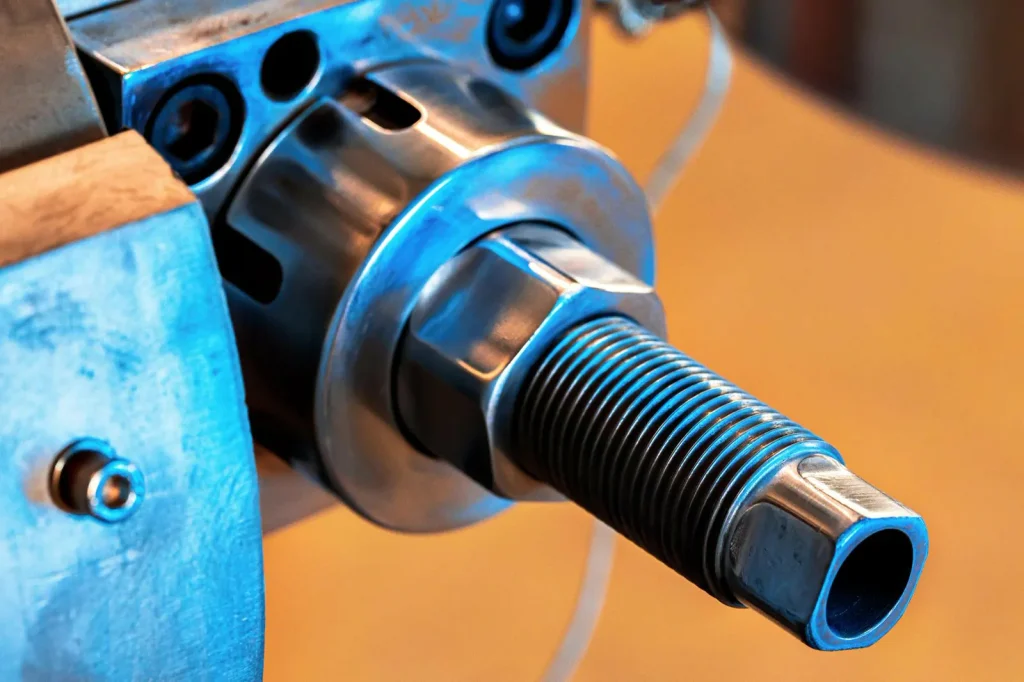
Case 3 — Scaling plastic parts: CNC for 100–500 units after 3D printed prototypes to reduce per-unit cost and improve repeatability
A scaling example describes a common transition: using 3D printing for prototypes to validate fit and form, then switching to CNC machining for larger batches where part repeatability, material properties, and cost efficiency become more critical in production. The reason given is that CNC setup cost becomes worth it when spread across the run, and repeatability improves compared to printing the whole batch.
The feasibility lesson is to plan the switch early. If you know the product will scale, you can design the prototype in a way that will also machine cleanly later (tool access, sensible radii, and datums that can be inspected).
Chart: cost/part vs batch size (conceptual)
- Cost per part
- 3D printing: Lower cost for prototypes
- CNC machining: More cost-effective for 100–500 unit batches
Case 4 — High-precision aerospace/medical components: CNC chosen for micron accuracy, finish, and material properties
In the high-precision component example described in your provided comparisons, CNC milling is selected because it offers micron-level accuracy, high-quality surface finish, and better control over material properties compared to 3D printing, making it ideal for aerospace and medical applications. These are the drivers that show up when the cost of a dimensional miss is high and when compliance and repeatable inspection matter.
This case type also highlights a common hybrid: even when additive is used, machining is often used for critical faces, holes, and interfaces where tight tolerances and finish control are required.
Table: “why CNC” factors (from themes in provided comparisons)
| Requirement pressure | Why CNC is commonly chosen in these cases (as described) |
|---|---|
| Micron-level precision | Better fit to tight, repeatable tolerances |
| Surface finish | Better readiness for sealing/sliding/cosmetic needs |
| Material properties | Uses production-grade stock with predictable behavior |
| Compliance & inspection | Stable datums and repeatable results |
After you compare cnc machining vs 3d printing across tolerances, material needs, geometry, and volume, a simple pattern shows up. If the part is early-stage and still changing, 3D printing often reduces friction because setup is low and complex geometry is feasible. If the part must meet tight specs, consistent finish, and predictable material behavior, CNC machining is often the lower-risk path, especially as volume moves past the low-volume range and toward 100–500+ units. The deciding factors are usually inspection-driven tolerances, post-processing workload, and how fast you need one part versus many parts.
FAQs
For small quantities (1-50 parts), 3D printing is often cheaper due to its minimal setup requirements. The lack of complex setup costs and quick iteration make it ideal for low-volume production. However, as quantities rise, CNC machining can become more economical because the setup cost is spread across many parts, leading to lower per-unit costs. Additionally, CNC machines often offer faster cycle times for non-complex parts, which can make it a more cost-effective option for medium to high-volume production. It’s important to consider post-processing costs, as 3D printed parts may require additional cleanup that can increase overall costs.
CNC machining is known for its micron-level precision, making it suitable for parts that require tight tolerances, like sealing faces or components with critical fits. In contrast, 3D printing typically offers accuracy within ±0.2–0.3 mm, which is sufficient for many prototype and non-functional applications but may fall short for parts that require precise measurements or smooth, reliable interfaces. Therefore, when parts need to meet strict dimensional and functional requirements, CNC machining is often the preferred method due to its more predictable and precise results.
3D printing can be a viable option for low-volume, highly customized production, especially when design flexibility and fast prototyping are essential. However, for larger volumes or when parts require high precision, repeatability, and a consistent surface finish, CNC machining is often the better choice. Many teams use a hybrid approach: 3D printing to validate the design and geometry quickly and CNC machining for functional testing, tight tolerances, and mass production runs.
Both 3D printing and CNC machining are capable of processing a range of plastics and metals, but CNC machining supports a broader selection of production-grade materials. 3D printing, on the other hand, is constrained by the materials compatible with each specific printing technology. Printed materials may not always match the final production material’s properties in terms of strength, durability, and performance, which can be critical for end-use applications. CNC machining allows for a more predictable outcome when material properties are vital, particularly for functional parts.
The transition from 3D printing to CNC machining begins with refining the CAD model, particularly focusing on the critical features that require precise tolerances, such as functional datums or mating surfaces. The next step is to assess the geometry for CNC tool access and workholding capabilities, ensuring that features are designed to be machinable. This transition typically involves using 3D printing for rapid prototyping and fit checks while CNC machining is reserved for parts that require stringent functional testing, final material properties, and high-quality surface finishes.


 English
  German
  French
  Italian
  Spanish
  Polish
  Czech
Czech  Japanese