
Ingenieure und technische Einkäufer informieren sich in der Regel über die Kosten der CNC-Bearbeitung, wenn sie versuchen, eine Frage zur Machbarkeit zu klären:
- Kann dieses Teil zu meinen angestrebten Stückkosten CNC-gefräst werden?
- Wenn nicht, liegt das Problem dann an der Konstruktion, dem Material, der Toleranz, der Menge oder dem Lieferanten?
- Was sollte ich ändern, bevor ich die nächste Angebotsanfrage versende?
Ein CNC-Angebot besteht nicht aus einem einzigen “Stundensatz”. Es umfasst eine Kombination aus Maschinenzeit, Rüstzeit, Programmierung, Arbeitskosten, Materialkosten und Betriebsgemeinkosten. Bei Prototypen können Rüstzeit und Programmierung den größten Anteil ausmachen. Bei der Serienfertigung stehen hingegen Taktzeit und Ausbeute im Vordergrund. Dieser Leitfaden nutzt die im Recherchepaket bereitgestellten Preisspannen und Vergleichswerte und zeigt, wie man diese fundiert einschätzen kann, ohne auf Vermutungen zurückgreifen zu müssen.
Kosten für die CNC-Bearbeitung: Grobe Preisangaben (pro Stunde, pro Teil, Gesamt)
Das Verständnis der Kostenstruktur der CNC-Bearbeitung ist für die Schätzung von Projektbudgets von entscheidender Bedeutung. Ein Preisleitfaden für die CNC-Bearbeitung kann die Kosten in Stundensätze, Stückpreise und Gesamtprojektkosten aufschlüsseln und so dazu beitragen, die Gesamtbearbeitungskosten zu senken. Diese Preise schwanken je nach Maschinentyp, Komplexität und anderen Faktoren wie Rüstzeit, Arbeitsaufwand, Material und Gemeinkosten. In diesem Abschnitt beleuchten wir die typischen Preisspannen für die CNC-Bearbeitung und vermitteln so ein klareres Verständnis dafür, mit welchen Stunden- und Stückkosten zu rechnen ist.
Stundensätze für die CNC-Bearbeitung nach Maschinentyp (3-Achsen vs. 5-Achsen vs. Desktop) – Tabelle
Die Stundensätze für die CNC-Bearbeitung variieren je nach den eingesetzten CNC-Fräsmaschinen, deren Leistungsfähigkeit und der Art und Weise, wie der Betrieb seine Gemeinkosten abrechnet, was sich auf die Gesamtkosten auswirken kann. Für präzise und kostengünstige Lösungen sollten Sie Folgendes in Betracht ziehen: CNC-Fräsen, was bei mehrseitigen Werkstücken Flexibilität und kürzere Rüstzeiten bieten kann. Maschinen, die mit geringeren Bearbeitungsgeschwindigkeiten arbeiten, um Präzision zu gewährleisten, können zwar Kosten senken, erfordern jedoch mehr Zeit. Die unten aufgeführten Bereiche finden sich in verschiedenen Quellen immer wieder.
| CNC-Maschinentyp | Typischer Anwendungsfall | Stundensatzspanne |
|---|---|---|
| Desktop-CNC (interne Abrechnung; keine typische Angebotserstellung für Lohnfertigung) | Leichte Arbeiten, hauseigene Prototypenentwicklung, weichere Materialien (je nach Kontext) | $10–$30/Std. |
| 3-Achsen-CNC (kommerziell) | Meist prismatische Teile; 2–3 Rüstvorgänge sind üblich | $30–$100/Std. |
| 5-Achsen-CNC (kommerziell) | Mehrseitige Bearbeitung; komplexe Winkel; weniger Umrüstungen erforderlich | $70–$300+/Std. |
| Gewerbliche Nutzung (häufigste Preisklasse über alle Typen hinweg) | “Gemischte” Werkstattpreise unter Berücksichtigung verschiedener Maschinen und Arbeitsmodelle | $50–$150/Std. |
Ein wichtiger Punkt: Die Bearbeitungskosten pro Stunde sind nicht gleichbedeutend mit den Projektkosten pro Teil. Ein höherer Stundensatz kann dennoch kostengünstiger sein, wenn dadurch zusätzliche Rüstvorgänge vermieden, das Nacharbeitsrisiko verringert oder Folgearbeiten überflüssig werden.
Stückkostenbereiche nach Komplexität der Teile (einfach, mittel, hochpräzise) – Tabelle
Die Stückpreise hängen von der Komplexität der Konstruktion, dem Material und der Bestellmenge ab. Für die Angebotserstellung unterteilen Werkstätten die Teile häufig in praktische ‘Schwierigkeitsstufen’, wobei das CNC-Drehen bei einfachen Formen in der Regel kostengünstiger ist. Faktoren, die die CNC-Preise beeinflussen, wie beispielsweise die Materialart und die Wahl der Maschine, können die CNC-Bearbeitung erheblich beeinflussen.
| Komplexitätsbereich des Bauteils | Was damit normalerweise gemeint ist | Typische Kostenspanne pro Teil |
|---|---|---|
| Einfach | Einfache Geometrie, einfache Werkstückspannung, wenige Werkzeuge, lockere Spezifikationen | $50–$150 |
| Mittlere Komplexität | Mehr Funktionen, mehr Werkzeuge/Operationen, sorgfältigere Prüfung | $150–$500 |
| Hochpräzise / komplex | Strenge Kontrollanforderungen, komplexe Funktionen, höherer Prüfungsaufwand, größeres Risiko | $500–$2.000+ |
Diese Preisbereiche sind vor allem für Kleinserien und Prototypen am realistischsten. Sobald die Stückzahl 100 oder mehr beträgt, verteilen sich die Kosten für Rüstung und Programmierung auf mehr Teile, sodass die Kosten pro Teil deutlich sinken können.
Wie viel kostet die CNC-Bearbeitung im Jahr 2026 pro Stunde?
Die meisten kommerziellen Angebote für die CNC-Bearbeitung liegen im Bereich von $50 bis $150/Stunde, doch die tatsächliche Bandbreite ist größer, da der Maschinentyp eine Rolle spielt. Für 3-Achsen-Bearbeitungen liegen die Angebote häufig bei etwa $30–$100/Stunde, während 5-Achsen-Bearbeitungen je nach Maschinenklasse und Anforderungen zwischen $70 und $300+/Stunde liegen können. Zahlen für Desktop-CNC-Maschinen wie $10–$30/Stunde gibt es zwar, doch spiegeln diese möglicherweise eher die interne Abrechnung wider als die Preise externer Auftragsbearbeiter.
Beispiel: Einrichtung $300 + (1,5 Std. × $90/Std.) + Material $12 + Handhabung $X ⇒ Ungefähre Gesamtsumme = $X
Was ist in einem typischen CNC-Angebot enthalten (Maschinenzeit, Rüstzeit, Arbeitskosten, Materialkosten, Gemeinkosten) – Kreisdiagramm
Die meisten CNC-Kostenvoranschläge lassen sich anhand von fünf Kostenkategorien erklären. Die genaue Aufteilung variiert je nach Betrieb und Auftrag, doch bei Prototypenprojekten entfällt in der Regel ein großer Anteil auf Rüstung und Programmierung.
| Kostenkategorie | Beschreibung | Typischer prozentualer Anteil an den Gesamtkosten |
|---|---|---|
| Einrichtung | Häufig 30–50% für Prototypen – wird in vielen Angeboten in der Regel in die Arbeitskosten eingerechnet | 30–50% |
| Arbeit | Häufig 30–40% insgesamt – Einrichtung und Programmierung sind oft in den Arbeitskosten enthalten | 30–40% |
| Maschinenzeit | Zykluszeit | Variiert je nach Maschinentyp und Konfiguration |
| Material | Rohmaterial | Variiert je nach verwendetem Material |
| Gehäuse | Qualitätssicherungssysteme, Verwaltung usw. | Variiert je nach Kostenmodell des Geschäfts |
In der Praxis werden die Kosten für die CNC-Bearbeitung in der Regel wie folgt berechnet: Gesamtkosten ≈ Rüst- und Programmieraufwand + (Zykluszeit × Stundensatz) + Material + Arbeits- und Handhabungskosten + Gemeinkosten + Folgearbeiten
Das Angebot verschleiert diese Berechnungen, doch die Einflussfaktoren lassen sich überprüfen. Ändert man die Stückzahl, amortisiert sich die Einrichtung. Ändert man das Material, ändern sich die Zykluszeit und der Werkzeugverschleiß. Ändert man die Toleranz- oder Oberflächengütevorgaben, ändern sich die Prüfvorgaben und das Risiko.

Was beeinflusst die Preise für die CNC-Bearbeitung? (Die tatsächliche Kostenaufschlüsselung)
Die Ermittlung der Kosten für die CNC-Bearbeitung hängt von mehreren entscheidenden Faktoren ab, darunter die Komplexität der Teile, die Werkstoffe, die Art der eingesetzten CNC-Werkzeugmaschinen und die Anzahl der erforderlichen Rüstvorgänge. Das Verständnis dieser Faktoren trägt dazu bei, die Kosten durch eine optimale Maschinenauswahl zu senken. Wenn Sie diese Komponenten verstehen, können Sie die tatsächlichen Kosten eines CNC-Projekts besser einschätzen, anstatt sich nur auf den Stundensatz oder den Preis pro Teil zu konzentrieren.
Einrichtungs- und Programmierkosten (warum Prototypen 30–50% kosten können) — Diagramm (Anteil der Prototypkosten)
Ein häufiger Grund, warum Käufer CNC für “teuer” halten, ist, dass sie ein Einzelstück mit einem Serienbauteil vergleichen. Auch bei Prototypen muss der Betrieb einen Großteil der Vorarbeiten leisten: Auftragsplanung, CAM-Programmierung (Werkzeugwege), Auswahl der Werkstückspannung, Erprobung des ersten Teils und Festlegung des Prüfkonzepts.
Gängiger Richtwert: Die Einrichtung und Programmierung können bei Prototypen 30–50% der Gesamtprojektkosten ausmachen.
| Kostenaufschlüsselung | Anteil an den Gesamtkosten |
|---|---|
| Einrichtung + Programmierung | 30–50% |
| Alles andere (Taktzeit + Material + Arbeitskosten/Gemeinkosten) | 50–70% |
Was in der Regel funktioniert: Wenn Sie ein echtes Einzelstück benötigen, betrachten Sie die Rüstung als Fixkosten und konzentrieren Sie sich darauf, die Anzahl der Rüstvorgänge sowie das Risiko bei der Erstmusterfertigung zu reduzieren.
Was oft schiefgeht: strenge Spezifikationen und komplexe Funktionen in eine Einzelanfertigung zu packen, ohne in eine Prüfstrategie und Prozesskontrolle zu investieren. Das führt häufig zu überhöhten Angeboten, da der Hersteller ein Preisrisiko eingeht.
Arbeitskosten (oft 30–40% des Gesamtbetrags) und Vergütungsrichtwerte für Bediener – Tabelle (US-Bediener $/Std.) (Quelle: staatliche Arbeitsmarktstatistiken + Branchenberichte)
Unter “Arbeitsaufwand” versteht man nicht nur die Person, die eine Maschine überwacht. Dazu gehören auch Rüstarbeiten, Zwischenkontrollen, Entgraten und Handhabung sowie manchmal auch die Programmierzeit, sofern der Betrieb diese als „Arbeitsaufwand“ und nicht als „Rüstzeit“ abrechnet. (Quelle: US-Behörde für Arbeitsstatistik).
Üblicher Richtwert: Die Personalkosten machen oft 30–40% der Gesamtprojektkosten aus.
Lohnvergleichswerte für Bediener im bereitgestellten Forschungspaket:
| Rolle / Benchmark | Typische Gehaltsspanne in den USA (Stundenlohn) |
|---|---|
| Erfahrener CNC-Bediener | $20–$50/Std. |
Eine praktische Konsequenz für die Erstellung von Preisrichtlinien in der Zerspanung: Selbst wenn die Maschine während eines Teils des Zyklus unbeaufsichtigt zerspanend arbeitet, spiegelt Ihr Angebot dennoch den Arbeitsaufwand für Rüstung, Werkzeugwechsel, Überprüfung und Teilehandhabung wider. Wenn sich ein Teil nur schwer einspannen oder prüfen lässt, steigt der Arbeitsaufwand, auch wenn die programmierte Zykluszeit kurz erscheint.
Werkzeuge, Vorrichtungen, Ausschuss/Abfall und Folgearbeiten als versteckte Multiplikatoren – Checkliste
Diese Faktoren werden oft nicht als separate Posten ausgewiesen, wirken sich jedoch auf die Gesamtkosten aus. Nutzen Sie diese Checkliste, wenn Sie zwei Angebote für “denselben” CAD sehen, die weit auseinanderliegen.
- Werkzeugintensität
- Ungewöhnliche Werkzeuggrößen oder häufige Werkzeugwechsel
- Werkzeuge, die bei der Bearbeitung harter oder abrasiver Werkstoffe schnell verschleißen
- Spanntechnik / Werkstückspannung
- Maßgefertigte Halterungen im Vergleich zu Standard-Schraubstöcken/weichen Backen
- Teile, die sich ohne spezielle Spannvorrichtung verziehen oder flattern
- Schrott- und Abfallrisiko
- Dünne Wände, schwer zugängliche Bereiche oder schwer zu prüfende Geometrien
- Werkstoff, der einen höheren Werkzeugverschleiß verursacht, was zu Maßabweichungen führt
- Sekundäre Operationen
- Entgraten, das sich nicht automatisieren lässt
- Zusätzliche Prüfschritte aufgrund strenger Anforderungen
- Nachbearbeitungsprozesse, die zusätzliche Handhabungsschritte erfordern
Ein wichtiger Punkt ist, dass es sich hierbei um Multiplikatoren handelt. Wenn sich das Werkstück nur schwer spannen lässt, führt die Werkstatt möglicherweise eine zweite Rüstung durch, wählt langsamere Vorschübe, führt mehr Prüfungen durch und rechnet mit einem höheren Ausschussrisiko. Jeder dieser Faktoren verursacht zusätzliche Kosten. Zusammen können sie die Preisspanne beeinflussen.
Warum ist mein CNC-Prototyp so teuer?
Denn das Projekt hat Fixkosten, die sich nicht mit steigender Stückzahl verringern. Bei einem Prototyp können Rüst- und Programmieraufwand 30–50% der Gesamtkosten ausmachen, noch bevor das erste akzeptable Teil gefertigt wird. Wenn die Konstruktion zudem eine aufwendige Werkstückspannung, Werkzeugwechsel oder sorgfältige Prüfung erfordert, kalkuliert der Hersteller den Zeitaufwand und das Risiko in das Angebot ein.
CNC-Einrichtung und -Programmierung: Der wichtigste Faktor für die Prototypenkosten
Beim CNC-Prototyping gehören Rüstung und Programmierung zu den wichtigsten Kostenfaktoren, insbesondere bei CNC-Drehbearbeitungen, bei denen die Rüstkosten unter Umständen höher ausfallen können. Kosteneinsparungen in diesen Bereichen können die Gesamtbearbeitungskosten erheblich senken. Im Gegensatz zur Serienfertigung, bei der die Kosten mit der Stückzahl skalieren, ist die Prototypenfertigung oft mit einem erheblichen Vorlaufaufwand verbunden, der sich nicht mit steigendem Volumen verringert. Dazu gehören die Auswahl der geeigneten Werkzeuge, die Konstruktion des Spannsystems und die Programmierung der CNC-Maschine für die Bearbeitung des Bauteils. Die Rüstkosten können bis zu 50% der Gesamtkosten ausmachen, insbesondere bei komplexen Teilen, die besondere Sorgfalt erfordern. Ein Verständnis der Zusammensetzung der Rüstkosten kann Ingenieuren helfen, Bereiche zu identifizieren, in denen Effizienzsteigerungen möglich sind, wodurch sich die Gesamtkosten des Projekts potenziell senken lassen.
Richtwerte für Einrichtungsgebühren: einfache vs. komplexe Einrichtungsbereiche — Tabelle
Die Einrichtungsgebühren hängen stark von der jeweiligen Aufgabe ab, doch das Informationspaket enthält praktische Richtwerte.
| Einrichtungsart | Was es normalerweise bedeutet | Richtwert für die Einrichtungsgebühr |
|---|---|---|
| Grundlegender Aufbau (einfache Teile) | Einfache Werkstückspannung, wenig Werkzeug, geringes Risiko | $50–$150 |
| Komplexe Einrichtung | Mehrere Rüstvorgänge, komplexe Werkstückspannung, höherer Aufwand für die Erprobung | $500-$1,000+ |
Wenn Ihnen für einen Prototyp eine “hohe” Einrichtungsgebühr in Rechnung gestellt wird, lautet die relevante Frage nicht “Können Sie darauf verzichten?”, sondern “Was macht die Einrichtung so aufwendig?” Das führt zu Änderungen am Design oder an der Bestellung, durch die sich der Aufwand für die Einrichtung verringern lässt.
Faktoren, die die Komplexität bei der Programmierung/CAM beeinflussen (Teile mit mehreren Bearbeitungsschritten, Werkstückspannung, Werkzeugwechsel) – Diagramm (Arbeitsablauf von CAD → CAM → Einrichtung)
Der Programmieraufwand steigt, wenn das Werkstück mehrere Bearbeitungsschritte (Multi-Op), eine feste Werkstückspannung oder zahlreiche Werkzeugwechsel erfordert. Dieser Aufwand wird häufig unter dem Begriff „Einrichten“ zusammengefasst.
| Schritt | Beschreibung |
|---|---|
| CAD-Modell + Zeichnung | Erstentwurf und technische Zeichnung |
| CAM-Planung | Bearbeitungsvorgänge, Werkzeuge und Schnittstrategie auswählen |
| Werkzeugwege + Simulation/Verifizierung | Werkzeugwege für das Werkstück erstellen und überprüfen |
| Werkstückspannplan | Spannvorrichtungen (Schraubstock/weiche Spannbacken/Spannvorrichtungen), Bezugspunkte und Wende-Strategie |
| Maschineneinrichtung | Werkzeuge einspannen, Versätze einstellen und bei Bedarf mit Messtastern überprüfen |
| Erstmusterlauf + Anpassungen | Den ersten Durchlauf ausführen, Vorschübe und Drehzahlen sowie die Werkzeugkorrektur anpassen und Entgraten sowie eine Prüfung durchführen |
Wo die Kosten schnell steigen:
- Teile mit mehreren Bedienelementen: Jedes Umdrehen oder Neupositionieren kostet Zeit und erhöht das Risiko, dass die Ausrichtung verloren geht.
- Einschränkungen bei der Werkstückspannung: Wenn eine Spannung auf einer stabilen Oberfläche nicht möglich ist, sind möglicherweise maßgefertigte Spannbacken oder Vorrichtungen erforderlich.
- Anzahl der Werkzeugwechsel: Mehr Werkzeuge bedeuten mehr Rüstzeit, ein höheres Fehlerrisiko und oft längere Taktzeiten.
Deshalb ist “einfache Geometrie” nicht gleichbedeutend mit “einfacher Bearbeitung”. Ein Werkstück kann zwar einfach aussehen, lässt sich aber möglicherweise nur schwer verformungsfrei einspannen oder erfordert ein Werkzeug mit großer Reichweite, das eine langsamere Zerspanung erzwingt.
Wenn moderne Maschinen durch weniger Umrüstungen die Gesamtkosten senken (selbst bei höheren Stundensätzen) — Entscheidungsmatrix
Ein höherer Stundensatz ist leichter zu akzeptieren, wenn dadurch mehrere Rüstvorgänge entfallen und sich der Arbeitsaufwand sowie das Risiko verringern. Nutzen Sie diese Matrix, um zu entscheiden, wann eine hochwertige Maschine die Gesamtkosten eines CNC-Bearbeitungsprojekts senken könnte.
| Teile-/Arbeitsbedingung | Wahrscheinlich besser geeignet | Warum dies die Gesamtkosten senken kann |
|---|---|---|
| Viele Flächen müssen so bearbeitet werden, dass enge Beziehungen zwischen ihnen bestehen | 5-Achsen (oft) | Weniger Rüstvorgänge können das Risiko von Stapelfehlern verringern und die Bearbeitungszeit verkürzen |
| Das Teil kann in einem oder zwei einfachen Arbeitsgängen fertiggestellt werden | 3-achsig (oft) | Ein niedrigerer Stundensatz kann ausschlaggebend sein, wenn der Aufwand ohnehin minimal ist |
| Die Werkstückspannung ist instabil und erfordert zahlreiche Wendevorgänge | 5-Achsen-Bearbeitung in Betracht ziehen | Weniger Nachspannvorgänge können das Risiko von Nacharbeiten verringern |
| Die Geometrie erfordert abgewinkelte Elemente, die den Einsatz spezieller Vorrichtungen auf der 3-Achsen-Maschine erfordern | 5-Achsen-Bearbeitung in Betracht ziehen | Vermeidet komplexe Vorrichtungen, die sich wie “versteckte Einrichtungskosten” auswirken” |
Genau hier können Tools für “CNC-Sofortangebote” irreführend sein, wenn sie die Kosten hauptsächlich anhand des abgetragenen Volumens oder des Begrenzungsrahmens schätzen. Die Rüstlogik lässt sich mit einfachen Rechnern nicht gut erfassen.
Was ist eine CNC-Einrichtungsgebühr und warum erheben Werkstätten diese Gebühr?
Eine CNC-Einrichtungsgebühr deckt die Arbeiten ab, die erforderlich sind, bevor mit der serienmäßigen Bearbeitung begonnen werden kann: Auswahl der Werkzeuge, Vorbereitung der Werkstückspannung, Einstellen der Versätze und Testbearbeitung des ersten Teils. Die durch die Komplexität der Einrichtung bedingten Kosten beeinflussen häufig die Gesamtkosten der CNC-Dienstleistungen. Diese Anfangskosten bestimmen oft die Gesamtkosten der CNC-Dienstleistungen. Sie fallen an, weil diese Aufgaben Zeit in Anspruch nehmen, selbst wenn Sie nur ein einziges Teil benötigen. Bei Prototypen können Rüstung und Programmierung 30–50% der Gesamtkosten ausmachen, sodass die Rüstungsgebühren oft der größte Hebel sind, den Sie beeinflussen können.

Materialkosten + Bearbeitbarkeit: Aluminium vs. Stahl vs. Titan
Bei der Kalkulation der Kosten für die CNC-Bearbeitung spielt die Materialauswahl eine wesentliche Rolle, da sie sowohl die Rohstoffkosten als auch den Bearbeitungsprozess selbst bestimmt. Verschiedene Werkstoffe unterscheiden sich nicht nur im Preis, sondern auch in ihrer Bearbeitbarkeit, was sich direkt auf die Zykluszeit, den Werkzeugverschleiß und die Gesamtkosten des Projekts auswirkt. Das Verständnis der Kostenrichtwerte für Werkstoffe wie Aluminium, Stahl und Titan sowie ihrer Bearbeitbarkeit hilft dabei, realistische Erwartungen an CNC-Angebote zu formulieren, und ermöglicht es Ingenieuren, fundierte Entscheidungen hinsichtlich ihrer Konstruktionen zu treffen.
Vergleich der Rohstoffkosten pro Teil (6061 vs. 304 vs. Titan) — Tabelle
Die Materialkosten in einem Angebot beschränken sich nicht nur auf den Preis der Legierung; sie können je nach Materialverschnitt, Abmessungen des Rohmaterials und Ausbeute variieren. Dabei spielen eine Rolle, wie der Betrieb das Rohmaterial einkauft, welche Abmessungen benötigt werden und mit welchem Verschnitt zu rechnen ist. Dennoch helfen Richtwerte für den Rohstoffverbrauch pro Teil dabei, realistische Erwartungen zu formulieren.
Die Materialkosten können steigen, wenn für die Werkstückspannung größere Rohlinge benötigt werden oder wenn bei der Bearbeitung Materialabfälle entstehen (z. B. Sägeschnitte, Verschnitt und Ausschuss).
| Material | Benchmark für die Materialkosten pro Teil |
|---|---|
| Aluminium 6061 (kleine bis mittelgroße Bauteile, typische Standardformen) | $8–$15 pro Teil (kann je nach Materialabfall, Lagergröße und Ausbeute variieren) |
| Edelstahl 304 | $15–$25 pro Teil |
| Titan | $30–$50 pro Teil |
Sollte Ihr Angebot eine deutlich höhere Materialmenge ausweisen, kann dies an Einschränkungen hinsichtlich der Lagerabmessungen liegen (Zukauf eines größeren Rohstücks/einer größeren Platte, als für das Bauteil erforderlich) oder an Materialverlusten durch Spannlaschen und Plandrehvorgänge.
Auswirkungen der Zerspanbarkeit auf die Zykluszeit und den Werkzeugverschleiß (warum härtere Metalle die Kosten erhöhen) (Quelle: Handbücher zur Zerspanung + technische Datenblätter)
Auch wenn das Rohmaterial nur einen geringen Anteil an den Kosten ausmacht, kann die Zerspanbarkeit (d. h. die Leichtigkeit, mit der sich ein Metall bearbeiten lässt) die Zykluszeit und den Werkzeugverschleiß maßgeblich beeinflussen.
- Härtere oder zähere Legierungen erfordern oft konservativere Zerspanungsparameter, um die Werkzeuge zu schonen und die Maßhaltigkeit zu gewährleisten.
- Wenn sich Werkzeuge schneller abnutzen, entstehen dem Betrieb höhere Kosten für Verbrauchsmaterialien, und es kann zu Zeitverlusten durch Werkzeugwechsel und Überprüfungen kommen.
- Manche Werkstoffe reagieren beim Schneiden empfindlicher auf Hitze und Kaltverfestigung. Dies kann andere Strategien und eine sorgfältigere Prozesssteuerung erforderlich machen.
Dies ist ein Grund dafür, dass sich bei der Frage “Edelstahl oder Aluminium” nicht nur der Posten für das Rohmaterial ändert. Je nach Legierung können bei gleicher Geometrie die Bearbeitungszeit und das Ausschussrisiko sehr unterschiedlich ausfallen.
Abwägungen bei der Werkstoffauswahl: Kosten vs. Festigkeit vs. Korrosionsbeständigkeit – Vergleichstabelle
Diese Tabelle ist bewusst entscheidungsorientiert und nicht vollständig. Sie stellt einen Zusammenhang zwischen den Kostentreibern her, die Sie bei der Preisgestaltung in der CNC-Bearbeitung erwarten können.
| Material | (Relativer) Kostendruck | Stärke (relativ) | Korrosionsbeständigkeit (relativ) | Druck durch Bearbeitungskosten (relativ) |
|---|---|---|---|---|
| Aluminium 6061 | Unter | Mittel | Mittel | Unter |
| Edelstahl 304 | Mittel | Mittel | Höher | Mittel bis höher |
| Titan | Höher | Höher | Höher | Höher |
“Relativ” bedeutet hier im Vergleich zu den anderen aufgeführten Werkstoffen unter Zugrundelegung der oben beschriebenen Kostenrichtwerte und des typischen Bearbeitungsverhaltens.
Ist Aluminium für eine CNC-Maschine günstiger als Edelstahl?
Oftmals ja, da Aluminium 6061 einen geringeren Rohstoffbedarf aufweist ($8–$15 pro Teil gegenüber $15–$25 pro Teil bei Edelstahl 304) und in der Regel leichter zu bearbeiten ist. Edelstahl kann die Bearbeitungszeit verlängern und den Werkzeugverschleiß erhöhen, was den Anteil der Zykluszeit an der Kostenkalkulation für die CNC-Bearbeitung in die Höhe treiben kann. Das genaue Ergebnis hängt jedoch weiterhin von der Geometrie, den Toleranzen und der Stückzahl ab.

Menge und Losgröße: Warum die Stückkosten schnell sinken
Bei der Bestellung von CNC-gefertigten Teilen kann die von Ihnen angegebene Stückzahl den Stückpreis erheblich beeinflussen. Je mehr Teile produziert werden, desto mehr verteilen sich die Fixkosten, wie beispielsweise für die Einrichtung und Programmierung, auf eine größere Anzahl von Einheiten, was zu einem deutlichen Rückgang der Kosten pro Teil führt.
Erläuterung der Rüstkosten (Prototyp vs. Kleinserie vs. Serienfertigung) – Grafik (Stückkosten vs. Stückzahl)
Einrichtung und Programmierung sind bei einer bestimmten Teileversion nahezu Fixkosten. Wenn man diese Kosten auf eine größere Stückzahl verteilt, sinken die Stückkosten rapide.
Unter Verwendung der bereitgestellten Datenpunkte aus der Fallstudie:
| Menge | Kosten pro Teil |
|---|---|
| 1 | $460 |
| 10 | $350 |
| 1,000 | $9.05 |
Aus diesem Grund kann ein Angebot für ein einzelnes Teil “unfair” erscheinen, wenn man es mit dem Stückpreis bei Großserienfertigung vergleicht. Der Betrieb berechnet Ihnen nicht das Zehnfache der Schneidekosten, sondern die Kosten für einen einmaligen Arbeitsaufwand, der ohnehin anfallen muss.
Fallstudie: 1 Teil vs. 10 Teile vs. 1.000 Teile ($460 → $350/Teil → $9,05/Teil) — Tabelle
Diese Zahlen stammen direkt aus der Fallstudie des Forschungspakets für dieselbe Aluminiumteil-Spezifikation.
| Menge | Gesamtkosten | Kosten pro Teil | Was hat sich geändert? |
|---|---|---|---|
| 1 | $460 | $460/Stück | Einrichtung und Programmierung werden pro Einheit berechnet |
| 10 | $3,500 | $350/Stück | Die Einrichtungskosten werden auf 10 Teile verteilt |
| 1,000 | $9,050 | $9,05/Stück | Einrichtung, Programmierung und Produktionsoptimierung, deren Kosten über die gesamte Produktionsserie verteilt werden |
1.000 Teile ≈ $9,05/Teil (unter der Annahme einer stabilen Revision, optimierter Vorrichtungen, langer Laufzeiten, minimalem Prüfaufwand und günstiger Lagerbestandsgröße/Ausbeute). Komplexe Teile oder enge Toleranzen lassen sich nicht auf dieselbe Weise skalieren.
Ein technischer Tipp zum Einkauf: Wenn Sie sich einer Budgetgrenze nähern, kann es günstiger sein, eine kleine Sicherheitsmenge zu bestellen, als später nachzubestellen und erneut Rüstkosten zu zahlen.
Breakpoint-Planung: Entscheidung, wann Bauteile gebündelt oder für die Produktion neu konstruiert werden sollen — Rahmenkonzept
Die Breakpoint-Planung ist eine Methode, um zu entscheiden, was zuerst geändert werden soll: Menge, Design oder Prozess. Nutzen Sie dieses einfache Rahmenkonzept.
- Feste und variable Kostentreiber identifizieren
- Mehr oder weniger erledigt: Einrichtung, Programmierung, Erstmuster-Test
- Variable: Taktzeit, Werkzeugverschleiß, Handhabungsaufwand pro Teil, Materialverbrauch pro Teil
- Testen Sie zwei Angebotsszenarien
- Szenario A: Menge, die Sie jetzt benötigen (Prototyp oder Pilotprojekt)
- Szenario B: ein realistischer kurzfristiger Durchlauf (zum Beispiel der nächste Build)
- Wenn die Stückkosten mit steigender Menge stark sinken
- Sie sind durch die Anlagenkonfiguration eingeschränkt. Ziehen Sie in Betracht, Teile zu bündeln, Ersatzteile zu bestellen oder Revisionsänderungen für einen Durchlauf auszusetzen.
- Wenn die Stückkosten auch bei größeren Mengen hoch bleiben
- Sie unterliegen einer Begrenzung hinsichtlich der Zykluszeit oder des Risikos. Ziehen Sie Konstruktionsänderungen (Werkzeugzugang, Vereinfachung der Geometrie), Materialänderungen oder eine andere Bearbeitungsstrategie (3-Achsen- vs. 5-Achsen-Bearbeitung) in Betracht.
- Wenn die Preise verschiedener Geschäfte stark voneinander abweichen
- Möglicherweise liegt ein Problem mit Mehrdeutigkeiten vor: unklare Toleranzen, unklare Bezugspunkte oder unklare Abnahmekriterien. Das treibt die Risikokosten in die Höhe.
Dies hängt direkt mit der Frage zusammen: “Wie erhält man ein günstiges CNC-Angebot?” Die sichere Antwort lautet nicht: “Wählen Sie den günstigsten Anbieter.” Vielmehr geht es darum, vermeidbare Einrichtungsaufwände und Risiken zu reduzieren, damit mehrere Anbieter zu einem ähnlichen Kostenvoranschlag gelangen.
Wie viele Teile brauche ich, damit sich die CNC-Bearbeitung “lohnt”?
Es gibt keinen einheitlichen Schwellenwert, da die Fixkosten von der Komplexität der Einrichtung abhängen. Die Fallstudie zeigt, dass durch die Steigerung der Stückzahl von 1 auf 10 der Stückpreis von $460 auf $350 gesenkt werden konnte, was hauptsächlich darauf zurückzuführen ist, dass sich die Rüstkosten auf mehr Einheiten verteilen. Wenn Sie mehrere Fertigungsläufe erwarten, kann die Planung einer kleinen Charge die Stückkosten stärker senken als die meisten kleinen Designanpassungen.
Maschinentyp und Komplexität der Bauteile: 3-Achsen- vs. 5-Achsen-Bearbeitung – die Kostenrealität
Bei der Auswahl einer CNC-Maschine für ein Projekt haben der Maschinentyp und die Komplexität des Werkstücks erheblichen Einfluss auf die Kosten. Zwar weisen 5-Achsen-Maschinen in der Regel höhere Stundensätze auf, doch bieten sie Vorteile durch kürzere Rüstzeiten und ein minimiertes Risiko von Ausrichtungsfehlern bei mehrseitigen Werkstücken. Das Verständnis dieser Unterschiede ist entscheidend, um eine fundierte Entscheidung darüber zu treffen, welcher Maschinentyp den Anforderungen Ihres Projekts am besten entspricht.
Stundensatzspannen und welche Leistungen Sie dafür bezahlen – Tabelle
5-Achsen-Maschinen sind pro Stunde zwar teurer, ermöglichen jedoch eine Reduzierung der Rüstvorgänge und verringern das Risiko von Ausrichtungsfehlern an mehreren Flächen.
| Typ der Maschine | Stundensatzspanne | Leistungen, für die Sie bezahlen (Kostenfaktoren) |
|---|---|---|
| 3-Achsen-CNC | $30–$100/Std. | Standardbearbeitung prismatischer Werkstücke; Einrichten und Nachspannen bei der Bearbeitung mehrerer Flächen |
| 5-Achsen-CNC | $70–$300+/Std. | Zugang zu mehreren Seiten und komplexen Winkeln mit weniger Rüstvorgängen; kann den Handhabungsaufwand und Nacharbeitsschleifen reduzieren |
Wenn Ihr Werkstück einfach ist und in einer Aufspannung auf einer 3-Achsen-Maschine bearbeitet werden kann, lässt sich der Stundensatz für die 5-Achsen-Bearbeitung oft nur schwer rechtfertigen. Wenn Ihr Werkstück mehrere Aufspannvorgänge auf einer 3-Achsen-Maschine erfordert, kann das Angebot für die 5-Achsen-Bearbeitung zwar pro Stunde höher ausfallen, insgesamt jedoch günstiger sein.
Wenn die 5-Achsen-Bearbeitung die Gesamtkosten senken kann (weniger Umrüstungen, kürzere Taktzeiten, weniger Nacharbeit) – Flussdiagramm
| Entscheidungspunkt | Option | Ergebnis |
|---|---|---|
| Muss das Bauteil an vielen Flächen mit engen Passungen bearbeitet werden? | Nein | Die 3-Achsen-Bearbeitung ist oft kostengünstig (niedrigerer Preis, einfache Planung) |
| Ja | ||
| Wären für eine 3-Achsen-Bearbeitung mehrere Nachspannvorgänge bzw. maßgefertigte Spannvorrichtungen erforderlich? | Nein | Vergleichen Sie beide; bei wenigen Einstellungen könnte die 3-Achsen-Variante dennoch die Nase vorn haben |
| Ja | ||
| Ist das Risiko von Nacharbeit oder Ausschuss aufgrund von Ausrichtungs- oder Spannempfindlichkeit hoch? | Nein | Vergleichen Sie beide; die 5-Achsen-Bearbeitung könnte dennoch zur Verkürzung der Zykluszeit beitragen |
| Ja | Die 5-Achs-Bearbeitung senkt häufig die Gesamtkosten, da sie den Rüstaufwand und das Risiko verringert. |
Das Flussdiagramm stellt keine Garantie dar. Es dient lediglich dazu, die Prüfung Ihres Angebots zu strukturieren. Ein “hoher” 5-Achsen-Stundensatz kann dennoch gerechtfertigt sein, wenn dadurch mehrere Rüstvorgänge entfallen.
Fallstudie: Gleicher 4-Stunden-Auftrag, angeboten für 3-Achsen- und 5-Achsen-Bearbeitung ($200–$400 vs. $600–$800) — Hinweis
Für denselben 4-stündigen Bearbeitungsauftrag könnte ein Angebot für eine 3-Achsen-Bearbeitung bei $200–$400 liegen (nur Maschinenzeit, Rüstzeit/Programmierung werden separat angeboten), während ein Angebot für die 5-Achsen-Bearbeitung bei $600–$800 liegen könnte. Dieser Unterschied spiegelt den Stundensatz sowie Annahmen bezüglich Rüstzeit und Komplexität wider. Bei manchen Teilen reduziert die 5-Achsen-Bearbeitung den Rüstaufwand so stark, dass der Gesamtpreis näher an die Erwartungen der Einkäufer heranrückt, doch die Richtung hängt vom Arbeitsplan ab.
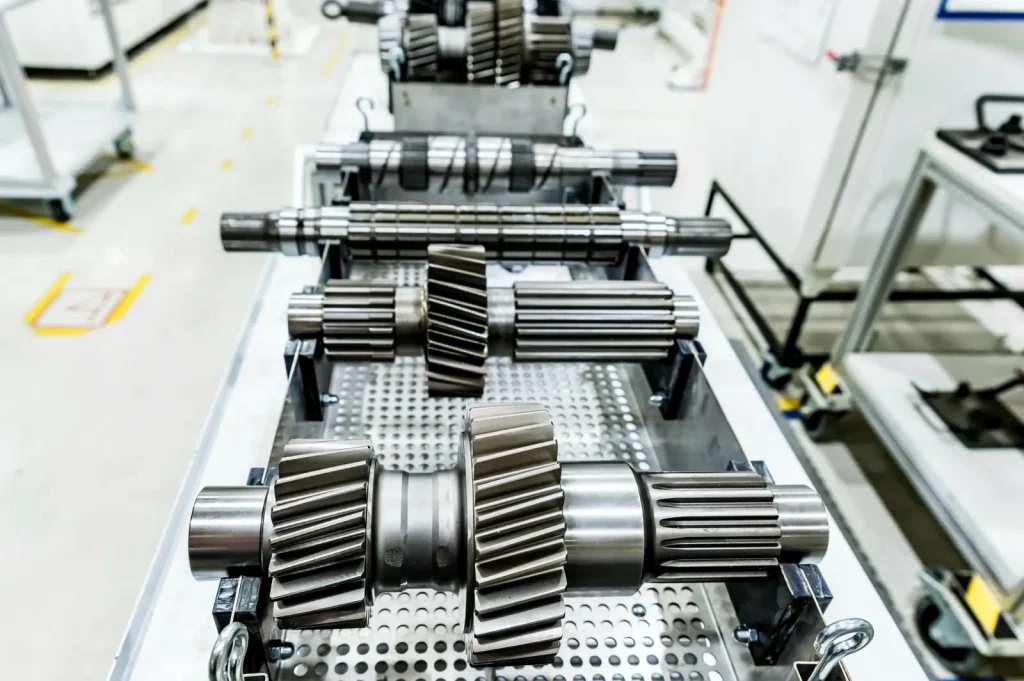
Lohnt sich der Aufpreis für eine 5-Achsen-CNC-Maschine?
Das kann der Fall sein, wenn dadurch die Anzahl der Umrüstungen reduziert oder das Nacharbeitsrisiko bei mehrseitigen Werkstücken verringert wird. Wenn ein 3-Achsen-Bearbeitungsplan mehrere Drehungen und maßgeschneiderte Spannvorrichtungen erfordert, können der Arbeitsaufwand und das Risiko schneller steigen, als es die Differenz beim Stundensatz vermuten lässt. Ist das Werkstück einfach und lässt sich bereits gut spannen, bleibt die 3-Achsen-Bearbeitung in der Regel die Kostenbasis.
Regionale und lieferantenspezifische Preisunterschiede (USA/Europa im Vergleich zu China)
Die Kosten für die CNC-Bearbeitung können je nach Region erheblich variieren, was in erster Linie auf Unterschiede bei den Arbeitskosten und den Gemeinkosten zurückzuführen ist. Der geografische Standort beeinflusst die Preisgestaltung der Betriebe in Bezug auf Arbeitskosten, Qualitätssysteme und erwartete Lieferzeiten, weshalb es entscheidend ist, alle Faktoren zu berücksichtigen, wenn Angebote aus verschiedenen Regionen verglichen werden.
Geografische Vergleichswerte für Stundensätze (China im Vergleich zu den USA/Europa) – Tabelle + grafische Darstellung im Kartenstil
Beachten Sie, dass der Stundensatz allein nicht die Gesamtkosten widerspiegelt – Anforderungen an die Qualitätskontrolle, Kommunikation und das Abweichungsmanagement können die Kosten zusätzlich erhöhen. Geografische Faktoren beeinflussen die Arbeits- und Gemeinkostenanteile bei CNC-Maschinen und wirken sich darauf aus, wie Betriebe Qualitätssysteme und erwartete Durchlaufzeiten kalkulieren.
| Region | Richtwert für den Stundensatz |
|---|---|
| China | $12–$25/Std. |
| USA / Europa | $35–$150/Std. |
Kartenansicht (die Werte sind Spannen, keine genauen Punkte):
[USA/Europa]
$35–$150/Std.
|
|
————————- Eurasien ————————-
|
|
[China]
Dies ist nur ein Teil der Beschaffungskosten. Ihre Gesamtkosten pro Teil können sich je nach Kommunikationsaufwand, Prüfplan und den Kosten für das Variationsmanagement ändern.
Warum die Angebote der verschiedenen Geschäfte so stark voneinander abweichen (Gemeinkosten, Ausrüstung, Qualitätssicherungssysteme, Vorlaufzeit) – Checkliste
Wenn zwei Angebote stark voneinander abweichen, liegt das oft daran, dass jeder Anbieter in einem oder mehreren dieser Bereiche einen unterschiedlichen Aufwand veranschlagt.
- Dachmodell
- Wie sie die Entwicklungs- und Programmierzeit veranschlagen
- Wie sie Qualitätssicherung und Dokumentation einbeziehen
- Ausstattung und Leistungsfähigkeit
- Maschinenklasse (3-Achsen vs. 5-Achsen) und Werkzeugverfügbarkeit
- Möglichkeit zur Reduzierung der Rüstvorgänge durch verbesserte Werkstückspannung und Messung
- Qualitätssysteme und Prüfkonzept
- In welchem Umfang wird bei Ihren Toleranzen und Abnahmekriterien eine Prüfung vorausgesetzt?
- Annahmen zur Vorlaufzeit
- Ob die Werkstatt Ihren Auftrag in den normalen Zeitplan einplant oder ihn als vorrangigen Auftrag behandelt
Aus diesem Grund kann ein “günstiges CNC-Angebot” ein riskantes Ziel sein, wenn man nicht weiß, auf welche Aspekte verzichtet wurde, um den Preis niedrig zu halten.
Umgang mit Risiken und Erwartungen bei der internationalen Beschaffung (Kommunikation, Toleranzen, Qualitätskontrolle) (Quelle: Branchenleitfäden zur Beschaffung + Fachpublikationen)
Die internationale Beschaffung kann zwar den Rechnungssatz senken, jedoch auch zusätzliche Koordinationskosten verursachen. Drei Faktoren sind für das Ergebnis ausschlaggebend:
- Klarheit der Kommunikation: Wenn die Zeichnung Interpretationsspielraum lässt, kostet jede Überarbeitung mehr Zeit, als durch die Zeitersparnis pro Stunde gewonnen wird.
- Toleranzklarheit: Mehrdeutige Toleranzen zwingen Lieferanten dazu, bei der Prüfung und Prozesskontrolle vom schlimmsten Fall auszugehen – oder sie gehen vom besten Fall aus und riskieren damit eine Diskrepanz.
- Qualitätssicherungsanforderungen: Wenn Sie festgelegte Abnahmekriterien benötigen, geben Sie an, welche Nachweise erforderlich sind (z. B. welche Maße geprüft und protokolliert werden müssen). Wenn Sie dies nicht benötigen, vermeiden Sie es, den Eindruck zu erwecken, dass dies der Fall sei.
Der praktische Ansatz besteht darin, die Spezifikation nur dort zu verschärfen, wo es die Funktion erfordert, und die Kommunikation durchgängig zu straffen.
Warum unterscheiden sich die CNC-Angebote der verschiedenen Betriebe so stark voneinander?
Denn die Betriebe berücksichtigen bei der Preisgestaltung unterschiedliche Annahmen hinsichtlich der Komplexität der Einrichtung, des Prüfungsaufwands, des Risikos und der Terminplanung. Der Typ der eingesetzten CNC-Maschine, wie beispielsweise eine CNC-Fräsmaschine oder CNC-Drehmaschine, spielt ebenfalls eine Rolle bei der Kostenkalkulation. Unterschiede bei den Stundensätzen (zum Beispiel $12–$25/Std. gegenüber $35–$150/Std.) erklären einen Teil davon, aber nicht alles. Zwei Lieferanten können dieselbe Zeichnung zudem unterschiedlich auslegen, wenn Bezugspunkte, Toleranzen und Anforderungen an die Oberflächenbeschaffenheit nicht eindeutig festgelegt sind.
So senken Sie die Kosten für die CNC-Bearbeitung (DFM + Beschaffungsstrategie)
Die Senkung der Kosten für die CNC-Bearbeitung beginnt oft mit der Optimierung von Konstruktions- und Beschaffungsstrategien. Durch die Anwendung der Prinzipien des „Design for Manufacturability“ (DFM) und das Verständnis der wichtigsten Einflussfaktoren bei der Beschaffung können Sie Rüstzeiten und Taktzeiten minimieren und unnötige Kosten vermeiden.
DFM-Checkliste zur Verkürzung der Zykluszeit und zur Reduzierung der Rüstzeiten (Formmerkmale, Werkzeugzugang, Verrundungen, standardisierte Bohrungen) — Checkliste
Beim Design for Manufacturability (DFM) geht es nicht darum, das Bauteil “schlechter” zu machen. Vielmehr geht es darum, Merkmale zu entfernen, die zusätzliche Rüstvorgänge, Werkzeuge mit großer Reichweite oder langsame Zerspanung erfordern. Um die Kosten für die CNC-Bearbeitung zu senken, sind dies die Punkte, die am häufigsten zu Änderungen im Angebot führen.
- Anzahl der Konfigurationen reduzieren
- Sorgen Sie nach Möglichkeit für klare, stabile Klemmflächen
- Vermeiden Sie Funktionen, die mehrere erneute Klemmvorgänge erfordern, nur um an die Flächen heranzukommen
- Zugang zu Werkzeugen verbessern
- Vermeiden Sie tiefe, enge Aussparungen, für die Werkzeuge mit großer Reichweite erforderlich sind
- Vermeiden Sie interne Merkmale, die mit Standardfräsern nicht erreicht werden können
- In Innenecken Fasen verwenden
- Scharfe Innenecken erfordern kleinere Werkzeuge und längere Bearbeitungszeiten
- Löcher vereinheitlichen
- Halten Sie die Lochgrößen einheitlich, sofern es die Funktion zulässt
- Vermeiden Sie eine Vielzahl unterschiedlicher Durchmesser, die zu häufigen Werkzeugwechseln führen
- Vermeiden Sie unnötige kosmetische Bearbeitungen
- Anforderungen an das äußere Erscheinungsbild können zu zusätzlichen Durchläufen und Prüfschritten führen
Ein gutes DFM-Gespräch ist konkret: “Diese Aussparung erfordert den Einsatz eines Werkzeugs mit großer Reichweite, was die Zykluszeit verlängert und den Werkzeugverschleiß erhöht”, und nicht “Vereinfachen Sie die Konstruktion.”
Toleranz und Präzision: Wo enge Toleranzvorgaben die Kosten in die Höhe treiben (und wo man sie lockern kann) – Entscheidungstabelle (Quellen: Messtechnische Normen + technische Referenzen)
Toleranzen verursachen Kosten vor allem durch Prüfzeiten, Prozesskontrolle und Ausschussrisiko. Ist eine Toleranz enger als nötig, zahlen Sie für die Überprüfung und das Risiko, ohne einen funktionalen Nutzen zu erzielen.
Verwenden Sie diese Entscheidungstabelle bei der Zeichnungsprüfung:
| Situation in der Zeichnung (Legende) | Wie sich das in der Regel auf die Kosten auswirkt | Was sollte geändert werden? |
|---|---|---|
| Enge Toleranzen bei vielen Maßen | Erhöht die Inspektions- und Risikobewertung | Nur funktionskritische Maße festlegen |
| Toleranzen ohne eindeutige Bezugspunkte für Beziehungen zwischen mehreren Flächen | Erhöht die Unklarheit und das Risiko von Nacharbeiten | Definieren Sie Bezugspunkte, damit die Fertigung die entscheidenden Faktoren kontrollieren kann |
| Sehr strenge Anforderungen an Merkmale, die schwer zu prüfen bzw. zu messen sind | Führt zu mehr Arbeits- und Taktunterbrechungen | Sofern es die Funktion zulässt, sollten die Anforderungen an die Messmethode gelockert oder geändert werden |
| Optische Ausführung impliziert, aber nicht näher spezifiziert | Führt dazu, dass Lieferanten zusätzlichen Arbeitsaufwand auf sich nehmen müssen | Angabe der Endbearbeitung nur dort, wo erforderlich |
Wenn Sie die Stückkosten senken möchten, ohne die Geometrie zu ändern, ist der Toleranzbereich oft der erste Ansatzpunkt. Er wirkt sich sowohl auf das Lieferantenrisiko als auch auf den Zeitaufwand für die Prozessvalidierung aus.
Steuerungshebel: Losgrößenbestimmung, Zusammenfassung von Arbeitsschritten, Vermeidung von Eilzuschlägen (Zuschlag 20–50%) — Leitfaden
Änderungen an der Bestellstrategie verursachen Kosten, auch wenn das Design unverändert bleibt.
- Losgrößenbestimmung
- Falls Sie davon ausgehen, dass Sie später mehr benötigen, bestellen Sie eine kleine Menge, damit sich die Einrichtungskosten amortisieren.
- Vorgänge zusammenfassen, sofern sich dadurch der Handhabungsaufwand verringert
- Weniger einzelne Schritte können den Arbeitsaufwand verringern und Reibungsverluste bei der Terminplanung reduzieren.
- Vermeiden Sie Eile, es sei denn, dadurch lassen sich höhere Kosten vermeiden.
- Bei Eilaufträgen kann ein Aufschlag von 20–50% anfallen.
- Wenn es sich um ein iteratives Projekt handelt, kostet ein im Eiltempo erstellter Prototyp, der eine zweite, ebenfalls unter Zeitdruck durchgeführte Korrektur erforderlich macht, oft mehr als eine planmäßige Umsetzung.
Eine hilfreiche Sichtweise: Sie kaufen nicht nur Schnittzeit. Sie kaufen einen Platz im Zeitplan und einen kontrollierten Erstdurchlauf.
Angebote richtig anfordern (Vorlage für Angebotsanfragen: Zeichnungen, Toleranzen, Werkstoff, Oberflächenbeschaffenheit, Menge, Fälligkeitsdatum) – Vorlage zum Herunterladen
Ein Angebot ist nur so gut wie die zugrunde liegenden Informationen. Wenn Sie vergleichbare Preisangebote für die CNC-Bearbeitung erhalten möchten, sollten Sie den Anbietern alle Informationen in gleicher Form zur Verfügung stellen.
Vorlage für eine Angebotsanfrage (Kopieren/Einfügen)
| Abschnitt | Einzelheiten |
|---|---|
| 1) Teilebezeichnung | |
| Bezeichnung des Teils | [Teilenamen eingeben] |
| Überarbeitung | [Änderung eingeben] |
| Anzahl (bei Flexibilität auch Alternativen angeben) | [Menge eingeben (z. B. 1 / 10 / 100)] |
| 2) Dateien | |
| 3D-CAD-Format | [3D-CAD-Format eingeben] |
| 2D-Zeichnung (PDF) mit Maßen und Toleranzen | [2D-Zeichnung (PDF) einfügen] |
| Hinweise zu funktionskritischen Merkmalen | [Notizen eingeben] |
| 3) Material | |
| Material | [Material eingeben (z. B. Aluminium 6061 / Edelstahl 304 / Titan)] |
| Etwaige wesentliche Zertifizierungsanforderungen | [Anforderungen an die Materialzertifizierung eingeben (falls zutreffend)] |
| 4) Toleranzen und Anforderungen an die Prüfung | |
| Allgemeine Toleranzen | [Allgemeine Toleranzen eingeben] |
| Kritische Abmessungen (Liste) | [Kritische Abmessungen eingeben] |
| Bezugssysteme / GD&T-Hinweise (falls verwendet) | [Maßangaben / GD&T-Hinweise eingeben] |
| Erforderliche Prüfungsergebnisse | [Prüfergebnisse eingeben (falls vorhanden)] |
| 5) Oberflächenbearbeitung / Nachbearbeitung | |
| Anforderungen an die Oberflächenbeschaffenheit (falls zutreffend) | [Anforderungen an die Oberflächenbeschaffenheit eingeben] |
| Anforderungen an die Entgratung | [Entgratanforderungen eingeben] |
| Etwaige Nachbearbeitung (falls vorhanden) | [Nachbearbeitungsanforderungen eingeben] |
| 6) Zeitplan | |
| Fälligkeitsdatum | [Fälligkeitsdatum eingeben] |
| Ist der Zeitplan flexibel? (Ja/Nein) |
Diese Vorlage hilft Ihnen bei der Beantwortung der Frage “Welche Faktoren beeinflussen den Preis einer Bearbeitung?”, da sie die Kostentreiber offenlegt: Stückzahl, Material, Toleranz und Oberflächenbeschaffenheit.
CNC-Bearbeitung im Vergleich zu Alternativen: Auswahl des Verfahrens mit den niedrigsten Gesamtkosten
Bei der Auswahl des kostengünstigsten Fertigungsverfahrens ist es wichtig, mehr als nur die Stückkosten zu berücksichtigen. Das Wissen darüber, wie sich CNC-Kosten senken lassen, und die Nutzung des richtigen CNC-Bearbeitungsdienstleisters können zu erheblichen Kosteneinsparungen führen. Je nach Geometrie, Funktion und Stückzahlanforderungen Ihres Bauteils kann ein CNC-Bearbeitungsdienstleister die beste Option sein. Der richtige Verfahren hängt von der Geometrie, der Funktion und der benötigten Stückzahl Ihres Bauteils ab. Im Folgenden vergleichen wir die CNC-Bearbeitung mit Alternativen wie 3D-Druck, Blechbearbeitung und Spritzguss und konzentrieren uns dabei auf Faktoren wie Kosten, Geschwindigkeit und Eignung für bestimmte Stückzahlen, um Ihnen zu helfen, eine fundierte Entscheidung zu treffen.
CNC vs. 3D-Druck vs. Blechbearbeitung vs. Spritzguss (Kosten, Geschwindigkeit, Passgenauigkeit) – Vergleichstabelle
Man kann nicht allein durch den Vergleich von Stückpreisen das kostengünstigste Verfahren ermitteln. Das Verfahren muss auf die Geometrie, die Funktion und die Stückzahl abgestimmt werden. Da das bereitgestellte Recherchepaket keine konkreten Preisangaben zu den Alternativen enthält, hat die nachstehende Tabelle rein qualitativen Charakter.
| Prozess | Kostenprofil | Geschwindigkeitsprofil | Optimale Volumenanpassung | Typische Passformbeschränkungen (Kostentreiber) |
|---|---|---|---|---|
| CNC-Bearbeitung | Höhere Fixkosten für Prototypen aufgrund der Einrichtungskosten; skalierbar bei steigender Stückzahl | Mittel | Vom Prototyp bis zur Serienfertigung (je nach Bauteil) | Anzahl der Rüstvorgänge, Werkzeugzugang, Zerspanbarkeit des Werkstoffs |
| 3D-Druck | Geringere Rüstkosten bei Einzelstücken; die Kosten pro Teil sinken möglicherweise nicht so stark wie bei der Zerspanung | Schnell für frühe Prototypen | Geringe Stückzahlen | Material- und Eigenschaftsgrenzen; Variabilität bei der Nachbearbeitung |
| Blechbearbeitung | Effizient bei geeigneten Geometrien | Schnell | Geringe bis mittlere Stückzahlen | Beschränkt auf biegsame Formen; Merkmalsbeschränkungen |
| Spritzgießen | Hoher Anfangsaufwand; niedrige Stückkosten bei großem Produktionsvolumen | Langsamer Start, aber schnell pro Teil, sobald der Betrieb läuft | Hohe Stückzahlen | Verpflichtung zur Werkzeugherstellung; Kosten für die Neukonstruktion bei fortgesetzten Überarbeitungen |
Die Entscheidung lautet selten “CNC oder nicht”. Meistens lautet sie: “Jetzt CNC, und was kommt danach?” Deshalb ist die Planung vom Prototyp bis zur Serienfertigung so wichtig.
Der Weg vom Prototyp zur Serienfertigung: Wann sollte man bei steigenden Stückzahlen den Prozess wechseln? — Zeitplan-Diagramm
| Phase | Prozess | Einzelheiten |
|---|---|---|
| Prototypenphase (Lernphase) | 3D-Druck (Passform/Platz) | Nutzen Sie den 3D-Druck zur Überprüfung der Passform und der Platzverhältnisse. |
| Pilotphase / Kleinserie (Designstabilisierung) | CNC (funktional) | Nutzen Sie CNC für funktionsfähige Prototypen und realistische Materialdarstellung. |
| Produktionsumfang (Stückkosten) | CNC (Serienfertigung) | Sobald das Design ausgereift ist, erfolgt die Umstellung auf CNC für die Serienfertigung. |
| Prozess bei Bedarf wechseln | Wechseln, wenn Lautstärke/Geometrie dies erfordern | Wechseln Sie den Prozess, falls die Menge oder die Geometrie dies erfordern. |
| Spezifikationen verschärfen | ‘— die Spezifikationen nur dort verschärfen, wo es nötig ist’ | Die Spezifikationen sollten nur dort verschärft werden, wo dies für die Funktionalität erforderlich ist. |
Ein gängiges Vorgehen besteht darin, mithilfe des 3D-Drucks die Passform und die Verpackung zu überprüfen, die funktionale Leistungsfähigkeit und die Materialtreue mittels CNC-Bearbeitung zu gewährleisten und die Situation dann bei höheren Stückzahlen neu zu bewerten, wenn sich die Amortisation der Einrichtungskosten und alternative Verfahren auf die Wirtschaftlichkeit auswirken.
Hybridstrategien (Druck zur Passformprüfung, CNC für funktionsfähige Prototypen, spätere Werkzeugfertigung) – Entscheidungsbaum
| Entscheidungspunkt | Zustand | Aktion |
|---|---|---|
| Benötigen Sie jetzt die Materialeigenschaften für die Fertigung? | Ja | CNC-gefertigte Funktionsprototypen |
| Wird die Menge bald steigen? | Nein | Bleiben Sie bei CNC; konzentrieren Sie sich auf die Verkürzung der Rüstzeiten und DFM |
| Ja | Überlegen Sie, ob ein anderes Verfahren für die stabilisierte Konstruktion geeignet ist. | |
| Nein | 3D-Druck zur Passform-/Formprüfung | |
| Wenn sich Geometrie und Anforderungen stabilisieren | - | CNC zur Funktionsvalidierung |
Entscheidend ist, zwischen “Lern-Builds” und “Wiederholungs-Builds” zu unterscheiden. Lern-Builds profitieren von Flexibilität. Wiederholungs-Builds profitieren von Amortisation und einer stabilen Prozessplanung.
Wichtige Erkenntnisse: Wie man Kosten schätzt, Angebote vergleicht und die nächste Iteration plant – Zusammenfassende Checkliste
- Verwenden Sie Stundensatzspannen als Orientierungshilfe und nicht als Abkürzung bei der Preisgestaltung: 3-Achsen $30–$100/Std., 5-Achsen $70–$300+/Std. und viele kommerzielle CNC-Bearbeitungsdienste liegen bei $50–$150/Std. Berücksichtigen Sie bei der Auswahl von CNC-Fräsmaschinen oder anderen CNC-Maschinentypen die Kosten für Rüstung und Werkzeuge.
- Bei Prototyp-Angeboten sollten hohe Fixkosten berücksichtigt werden: Die Kosten für Einrichtung und Programmierung machen oft 30–50% der Gesamtkosten des Prototyp-Projekts aus.
- Rechnen Sie damit, dass die Arbeitskosten einen erheblichen Anteil ausmachen: häufig 30–40%, wobei die in den USA geltenden Vergütungsrichtwerte für Bediener von $20–$50/Stunde die Werkstattpreise beeinflussen.
- Prüfen Sie, ob das Angebot durch die Rüstzeit oder durch die Zykluszeit begrenzt ist. Mengenänderungen wirken sich positiv auf Ersteres aus; DFM-Maßnahmen und Materialänderungen helfen bei Letzterem.
- Nutzen Sie die Stückzahl als Hebel: Die vorgestellte Fallstudie zeigt die Artikel $460 (1 Stück), $350/Stück (10 Stück) und $9,05/Stück (1.000 Stück) für dieselbe Teilespezifikation.
- Vergleichen Sie 3-Achsen- und 5-Achsen-Bearbeitung anhand der Gesamtzahl der Rüstvorgänge und des Risikos, nicht allein anhand des Stundensatzes.
- Wenn die Angebote stark voneinander abweichen, sollten Sie davon ausgehen, dass es unterschiedliche Auslegungen hinsichtlich Toleranzen, Prüfungen und Risiken gibt. Legen Sie die Angaben in der Angebotsanfrage fest, bevor Sie über den Preis verhandeln.
- Senken Sie die Kosten für die CNC-Bearbeitung, indem Sie die Anzahl der Rüstvorgänge reduzieren, den Zugang zu den Werkzeugen verbessern, Merkmale standardisieren und Toleranzen nur dort verschärfen, wo es die Funktion erfordert.
- Vermeiden Sie Eilaufträge, es sei denn, dadurch lassen sich höhere Kosten vermeiden: Bei Eilaufträgen kann ein Aufschlag von 20–50% anfallen.
Ein CNC-Ansatz ist in der Regel dann sinnvoll, wenn Sie die Anzahl der Rüstvorgänge begrenzen können, die Bearbeitbarkeit für die gewählte Legierung auf einem vertretbaren Niveau halten und eine ausreichende Stückzahl bestellen, um die Fixkosten zu amortisieren. Er lässt sich jedoch nur schwer rechtfertigen, wenn das Bauteil zahlreiche Rüstvorgänge erfordert, schwer zu messende Anforderungen stellt oder als Einzelstück ohne stabile Revision gefertigt wird.

FAQs
Die Kosten für die CNC-Bearbeitung werden in der Regel durch die Summe mehrerer Schlüsselfaktoren berechnet: Rüstung und Programmierung, Maschinenzykluszeit (die nach Stundensatz abgerechnet wird), Material, Arbeitsaufwand/Handhabung und Betriebsgemeinkosten. Darüber hinaus kann der Kauf einer CNC-Maschine oder von CNC-Ausrüstung erhebliche langfristige Kosteneinsparungen bewirken. Faktoren wie der Typ der CNC-Maschine und die Wartungskosten spielen ebenfalls eine Rolle. Bei Prototypenprojekten machen Rüstung und Programmierung in der Regel einen großen Anteil – 30–50% – der Gesamtkosten aus. Bei geringeren Stückzahlen erscheinen die Kosten pro Teil dadurch höher. Mit steigender Stückzahl verteilen sich die festen Rüstkosten jedoch auf mehr Teile, sodass die Zykluszeit und die Arbeitskosten zu den dominierenden Kostenfaktoren werden.
Die wichtigsten Kostenfaktoren bei der CNC-Bearbeitung hängen von der Art des Projekts ab. Bei Prototypen machen Rüst- und Programmierkosten oft den größten Teil der Gesamtkosten aus. Bei Serien- und Fertigungsaufträgen gewinnen Faktoren wie Zykluszeit, Werkzeugverschleiß und Zeitaufwand für die Teilehandhabung an Bedeutung. Auch die Materialauswahl ist entscheidend: Nicht nur die Rohstoffkosten wirken sich auf die Preisgestaltung aus, sondern auch die Zerspanbarkeit – also die Leichtigkeit, mit der sich das Material bearbeiten lässt – beeinflusst die Taktzeit und den Werkzeugverschleiß und wirkt sich damit zusätzlich auf die Kosten aus.
Um die Kosten für die CNC-Bearbeitung zu senken, ohne den Lieferanten zu wechseln, sollten Sie zunächst die Konstruktion optimieren. Die Reduzierung der Anzahl der Rüstvorgänge führt zu erheblichen Kosteneinsparungen, ebenso wie der Verzicht auf Merkmale, die Werkzeuge mit großer Reichweite oder übermäßige Werkzeugwechsel erfordern. Außerdem können Sie die Toleranzen straffen – enge Toleranzen sollten nur dort angewendet werden, wo sie für die Funktionalität erforderlich sind. Eine Erhöhung der Bestellmenge kann ebenfalls helfen, da sich die Rüstkosten auf mehr Einheiten verteilen und so die Gesamtkosten pro Teil sinken.
Der Preisunterschied zwischen den einzelnen Betrieben lässt sich oft auf Unterschiede in der Art und Weise zurückführen, wie die jeweiligen Betriebe mit bestimmten Faktoren umgehen. Je nachdem, wie Toleranzen und Bezugspunkte in der CAD-Zeichnung definiert sind, können sie unterschiedliche Prüfintensitäten, unterschiedliche Einrichtungsstrategien oder sogar unterschiedliche Risikostufen zugrunde legen. Zudem können die eingesetzten Maschinentypen – beispielsweise 3-Achsen- gegenüber 5-Achsen-Maschinen – die Preisgestaltung beeinflussen. Weitere Faktoren wie regionale Unterschiede bei den Arbeitskosten und Gemeinkosten – wobei die Stundensätze in China zwischen $12 und $25/Std. und in den USA/Europa zwischen $35 und $150/Std. variieren – spielen ebenfalls eine Rolle bei den Preisunterschieden.
Ja, in der Regel ist es günstiger, 10 Teile statt nur eines zu bestellen. Der Grund dafür ist, dass die Einrichtungs- und Programmierkosten feststehen, was bedeutet, dass sich diese Kosten bei einer Großbestellung auf mehr Einheiten verteilen. In der vorgestellten Fallstudie sanken die Kosten pro Teil beispielsweise von $460 für ein Teil auf $350 für zehn Teile. Je mehr Teile Sie bestellen, desto niedriger werden die Stückkosten – vorausgesetzt, die einrichtungsintensive Natur des Auftrags lässt diesen Vorteil zu.

 German
  English
  French
  Italian
  Spanish
  Polish
  Czech
Czech  Japanese